
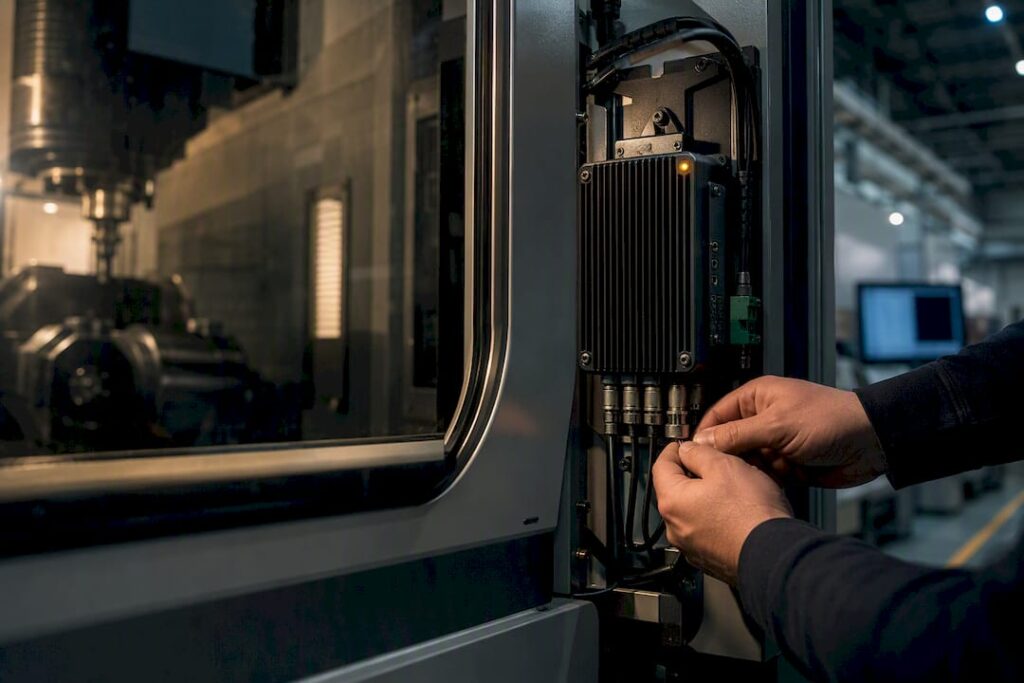
Normalise machine data at the edge, favour MTConnect for read-only monitoring, and reserve OPC UA for anything needing write-back or cross-domain logic, then feed both into one canonical namespace your MES actually consumes. The first move isn’t buying software. It’s running a protocol and firmware audit across your fleet and picking one pilot line to prove the model before you scale it.
TL;DR:
- Using native controllers with MTConnect support reduces integration time and effort, especially on machines built for connectivity from the start.
- Hybrid protocol deployment, combining MTConnect for read-only data and OPC UA for write-back or cross-domain logic, offers flexibility in most shop environments.
- Proper data ownership and standardized naming conventions are critical to prevent costly retrofitting and ensure reliable, scalable MES integration.
- Pilot projects should focus on a single line with clear success criteria, including cycle count parity, timestamp accuracy, and event completeness.
- Building a canonical namespace at the edge simplifies downstream data consumption, facilitates future scalability, and minimizes disruption for multi-machine setups.
Table of Contents
- What does MES integration with CNC actually deliver?
- MTConnect, OPC UA and ISA‑95: which protocol does what?
- Which architecture pattern actually works on the shop floor?
- How do you run the integration step by step?
- Common integration challenges and how to mitigate them
- How do you test and validate before going live everywhere?
- How does machine choice affect integration risk?
- Why pilots beat big-bang rewrites
- Choosing machines that make integration easier, not harder
- Where to go deeper on the standards
- Sources
What does MES integration with CNC actually deliver?
The payoff shows up in numbers your production manager already tracks, just more reliable and updated automatically instead of typed in from a clipboard at shift change. Verified cycle time replaces the estimated version everyone quietly distrusts. Overall Equipment Effectiveness (OEE) climbs because you’re catching micro-stoppages and setup drag that manual logging never captures. Bottlenecks surface in near real time instead of three days later during a scheduling meeting.
Expect gains in these areas once machine data flows into your MES:
- Verified, machine-sourced cycle times instead of operator estimates
- Measurable OEE uplift from catching idle time and short stops
- Fewer manual status updates and less transcription error
- Faster detection of bottleneck operations across a line
Integration earns its cost fastest in multi-shift shops, high-mix/low-volume production, and anywhere regulated traceability is mandatory, aerospace and automotive suppliers being the obvious cases. A single-shift job shop running a handful of similar parts may find a proper MES rollout overkill; a well-configured monitoring pilot captures most of the value at a fraction of the effort.
MTConnect, OPC UA and ISA‑95: which protocol does what?
Pick the protocol based on the job, not brand loyalty. MTConnect is a machine-tool-specific, read-only standard built to normalise data into a common vocabulary, which makes it the fastest route to shop-floor visibility when you don’t need to push anything back to the controller. OPC UA, by contrast, is a broader industrial framework with a richer information model, certificate-based security, and genuine read/write capability, so it’s the right call when you need write-back, method calls, or data flowing across domains (PLC to MES to ERP).
You don’t have to choose one and abandon the other. The MTConnect-OPC UA companion specification maps MTConnect’s machine-tool vocabulary directly into OPC UA address spaces, letting mixed fleets run both side by side. Practitioner guidance increasingly backs a hybrid deployment as the sensible default for a modern shop rather than a forced either/or decision.
Quick rules of thumb:
- Need fast, read-only visibility on a machine that already speaks MTConnect? Use MTConnect.
- Need to write back parameters, trigger methods, or integrate across IT/OT domains securely? Use OPC UA.
- Running a mixed fleet? Let the companion spec bridge them into one address space.
ISA‑95 does the organisational work protocols can’t. It frames enterprise and control systems as layers, ERP handling business decisions, MES handling operational control, CNC and CAM handling execution, and clarifies data flow: orders move down, actuals move up. Critically, ISA‑95 forces you to name a golden source for every data element, which eliminates the arguments that happen six months into a project about which system “really” owns the schedule.
Pro Tip: Don’t retrofit every machine to match your most sophisticated one. Where MTConnect already exists on a controller, keep it. Subscribe to OPC UA only where you genuinely need it, and normalise everything downstream in your collector.
Which architecture pattern actually works on the shop floor?
Two patterns dominate real deployments, and most shops end up running both at once. The first pairs an MTConnect agent (or adapter) sitting close to legacy or simpler controllers with a native OPC UA server on newer machines that support it directly. Either way, a collector sits between the machines and everything upstream, translating disparate machine languages into one canonical tag model your MES, dashboards, and analytics tools can all read the same way.
That canonical layer, often called a unified namespace, is where the real leverage sits:
- Downstream consumers (MES, SCADA, BI tools) stay protocol-agnostic; they read the canonical schema, not raw machine output.
- Swapping a machine or adding a new analytics platform doesn’t mean rebuilding every downstream integration.
- New use cases, like publishing tool-health signals for scheduling decisions, plug into the same namespace without touching the machine layer.
A recent cloud-based cyber-physical framework demonstrates this well: tool-wear monitoring at the edge publishes health data that a cloud scheduler consumes to make condition-aware job allocation decisions, a genuine Industry 4.0 payoff, not a vendor slide.
On cloud versus on-premise: keep time-critical control loops and anything safety-relevant local, where latency and network dropout can’t bite you. Push aggregated, historical, or analytics-bound data to the cloud where storage economics and compute scale favour it. Regulated environments with strict data residency requirements often need a local buffer regardless, with cloud sync happening on a delay.
How do you run the integration step by step?
Treat this as a checklist you can assign, not a theory exercise. Each step has a clear owner and a pass/fail gate before you move to the next.
- Audit every machine’s protocol and firmware. List controller make, model, firmware version, and whether MTConnect or OPC UA is natively supported or needs a gateway. Owner: controls engineer. Acceptance: complete inventory signed off within one week.
- Pick a pilot line or machine. Choose something representative, not your oldest or newest outlier. Acceptance: pilot scope agreed with operations and IT.
- Define the golden source for each data element. Decide, per ISA‑95 logic, whether ERP, MES, or the machine controller owns schedule, actuals, and quality data. Acceptance: documented data ownership map.
- Map data items and naming conventions. Standardise tag names before anything goes live; retrofitting naming later is expensive. Acceptance: canonical schema document approved.
- Choose the adapter or gateway approach per machine. Native OPC UA server, MTConnect adapter, or a third-party gateway for legacy controllers. Acceptance: architecture diagram for the pilot signed off.
- Build the edge collector. Normalise incoming data into the canonical schema and expose it to the MES. Acceptance: collector passes a data integrity test against known machine states.
- Run acceptance tests on live data. Check timestamp fidelity, event completeness, and cycle-count accuracy against manual observation. Acceptance: results within agreed tolerance (see testing section below).
- Roll out in stages, training operators as you go. Acceptance: operator sign-off and a two-week stability window with no unplanned rollback.
Pro Tip: Run the pilot for at least one full production cycle, including a shift change and a maintenance event. Problems that never show up in a clean demo always show up in the messy reality of a shift handover.
Common integration challenges and how to mitigate them
Legacy controllers are the usual sticking point. Machines older than 15 years often lack native network interfaces, and proprietary vendor protocols can lock you out entirely.
- Legacy or proprietary controllers: fit non-intrusive sensors or an IO gateway module rather than forcing a controller replacement.
- Vendor lock-in on data formats: insist on an open standard (MTConnect or OPC UA) at the gateway output, even if the machine side stays proprietary.
- Data quality drift: validate against known machine states regularly, not just at go-live.
- OT/IT security exposure: use certificate-based OPC UA authentication and segment networks so shop-floor traffic never sits directly on the corporate LAN.
- Operator resistance: assign clear data ownership and involve operators in defining what “good data” looks like before rollout, not after.
How do you test and validate before going live everywhere?
Acceptance testing is what separates a pilot that quietly fails in production from one that scales cleanly. Four checks matter most:
- Cycle-count parity. Machine-reported part counts must match manual counts within an agreed tolerance over a full shift.
- Timestamp fidelity. Event timestamps from the machine must align with wall-clock time within milliseconds, not minutes, or your downtime analysis will lie to you.
- Event-loss threshold. Set a maximum acceptable percentage of dropped events during network interruptions, and test for it deliberately.
- Write-back audit logs. Anywhere you’re pushing data back to the controller, log every write with a timestamp and source for traceability.
Once the pilot clears these gates, move to a phased roll-out, line by line, rather than a single cutover. Keep a documented fallback or degraded-operation mode (manual logging reverts as backup) for every stage until the new data path has proven itself under real production pressure for at least one full month.
How does machine choice affect integration risk?
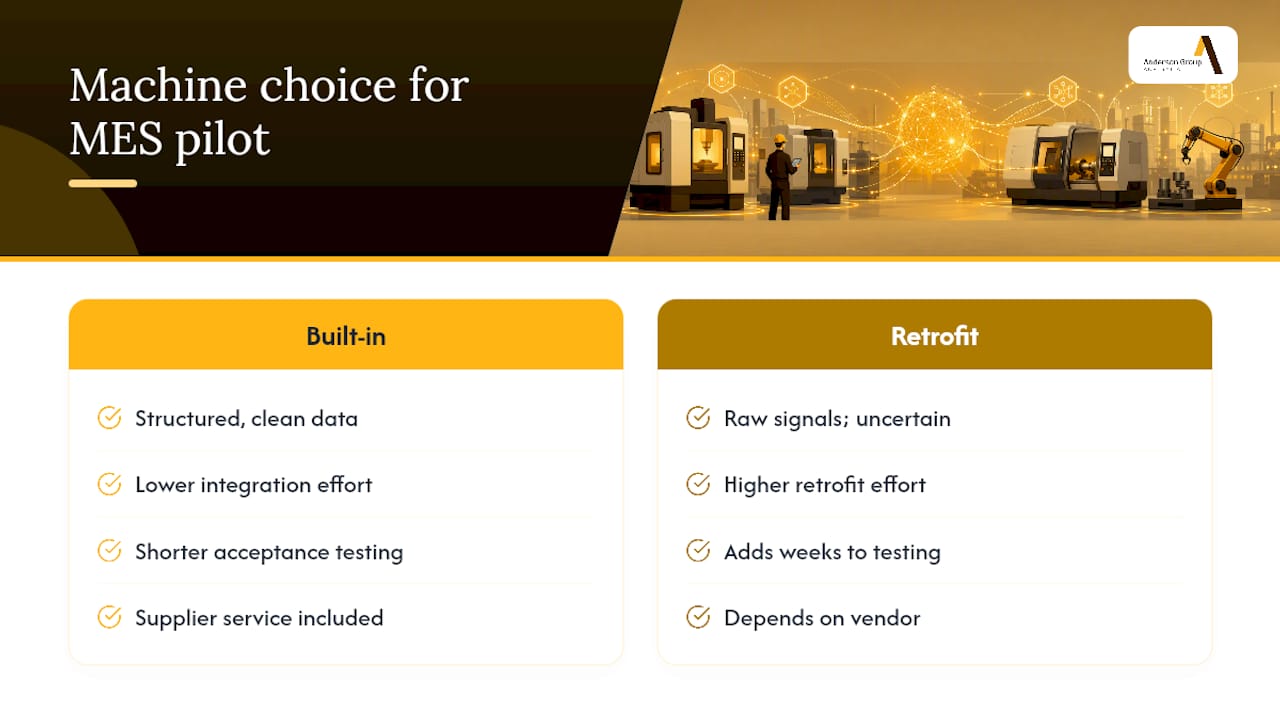
Machine selection matters more than most integration plans admit. A controller with native connectivity built in saves weeks of gateway engineering compared to retrofitting a decade-old machine with bolt-on sensors and translation layers.
Anderson’s AXXIOM 5-Axis Series and Genesis PLUS nesting machine are built with connectivity considerations in mind, which shortens the gap between installation and useful data output. For larger-format work, the MASS-5 machining centre follows the same logic at scale.
- Machines with modern controllers reduce or eliminate the need for third-party gateways.
- Vendor support during commissioning shortens the acceptance-testing phase.
- Retrofit-friendly designs matter when you’re integrating an existing fleet rather than buying new.
If your shop runs a mixed fleet of older and newer equipment, that gap in native support is exactly where your pilot planning should focus first.
Why pilots beat big-bang rewrites
The biggest mistake I see in MES integration planning isn’t a bad protocol choice, it’s scope. Teams try to integrate the whole fleet and every KPI in one project, and six months in they’re still arguing about data ownership instead of running production. A tight pilot on one line, with one clear KPI owner, proves the architecture in weeks and gives you a template to copy, not a committee to reconvene.
Cross-functional sponsorship matters more than any technology decision here. If operations, IT, and the plant floor aren’t jointly accountable for the pilot’s KPI, the project drifts into an IT exercise nobody on the floor trusts. Give one person clear ownership of the pilot’s success metric, whether that’s verified cycle time or OEE uplift, and let the architecture serve that goal rather than chasing every protocol feature available.
Full MES integration is the right call once you’ve proven the model and need traceability or scheduling logic across multiple lines. A simple monitoring pilot is usually enough to answer the question most shops are actually asking: is this data trustworthy enough to act on?
— Scott
Choosing machines that make integration easier, not harder
There are other routes into this problem, custom retrofit kits, third-party gateway vendors, bespoke integrator projects, and each solves part of the puzzle. Anderson approaches it differently: machines built with connectivity in mind from the outset, so the integration effort starts smaller instead of starting from a blank retrofit.
That’s the practical difference for a shop planning its first MES pilot. A machine that exposes clean, structured data out of the box cuts weeks off the acceptance-testing phase compared with bolting sensors onto a legacy controller and hoping the signal is clean enough to trust. The machinery supplier typically provides the ongoing parts, repair, and maintenance support around it, but not MES software itself, so the pilot plan above still applies regardless of which system you’re feeding.
If you’re weighing machine choices against your integration roadmap, the industries Anderson works with page breaks down configuration by sector, and the woodworking and metalworking machinery pages cover specific setups worth comparing against your current fleet. Get in touch through Anderson’s enquiry channels to talk through machine specs and local service support before you lock in your pilot scope.
Where to go deeper on the standards
For technical detail beyond what fits here, go straight to the source documents. MTConnect.org publishes the full read-only data model and adapter specifications. The OPC Foundation site covers OPC UA’s information model, security architecture, and companion specifications in full. Academic work on enterprise-control integration explains the ISA‑95 hierarchy in more depth than any vendor guide will, and the cloud-based CNC manufacturing framework study is worth reading if you’re planning predictive scheduling as a future phase.
Sources
- MTConnect
- OPC Foundation
- Cloud-based cyber‑physical CNC manufacturing framework integrating tool wear monitoring (Scientific Reports, 2026)