
Improve CNC uptime through measured downtime analysis, setup and maintenance controls, and targeted process trials. Begin with a manageable pilot, define the baseline and success criteria, and assess the observed result before expanding.
TL;DR:
Use monitoring to identify loss categories and evaluate improvements against the shop’s baseline rather than assuming a fixed OEE or downtime gain.
Measure setup tasks and trial pre-staging or standardised procedures where suitable. Record the actual time saved.
Tracking tool life through usage data and using presetters or staged spares reduces unexpected tool failures, preventing scrap and costly rework.
Include hardware, integration, training and ongoing costs in a pilot business case. Calculate payback from measured benefits.
Leadership discipline and proper operator training are crucial for reliable data collection and sustained improvements, not just deploying monitoring technology.
Table of Contents
-
Quick checklist: 8 immediate actions to start improving CNC uptime this week
-
Tool management: how tool-life tracking prevents unplanned stops
-
How should preventive and predictive maintenance work together?
-
Program and CAM optimisation: cutting air-cutting and wasted cycle time
-
How Anderson Group Australia helps deliver CNC uptime improvements
Quick checklist: 8 immediate actions to start improving CNC uptime this week
You don’t need a six-month capital project to start recovering machine hours. Most of the gains in the first month come from tightening things you already control. Here’s the order that works on the shop floor, not just on paper.
-
Run daily machine checks and shift handover notes. A two-minute checklist at the start and end of every shift catches slow leaks in performance before they become breakdowns.
-
Start a focused monitoring pilot on 3 to 10 machines. Pick your bottleneck machines, not your quietest ones, so the data reflects real pressure points.
-
Standardise setup checklists and require first-piece sign-off. Nobody starts a production run until the first part passes.
-
Set tool crib rules and tool-life windows. Know which tools are close to their limit before they fail mid-cycle.
-
Validate NC programs offline before cutting the first part. A dry run in simulation costs minutes; a crash costs days.
-
Pre-stage fixtures and pallets. Wherever the machine allows, use zero-point pallet systems to cut load and unload time to near zero.
-
Assign escalation times for operator and maintenance response. If a stoppage isn’t resolved in a defined window, it automatically escalates. No ambiguity, no waiting around.
-
Define your pilot’s success metric before you start. Decide upfront whether you’re chasing an OEE gain, a downtime-hours-saved target, or both.
None of this needs new capital. It needs someone with authority to say “this is how we do it now” and the discipline to enforce it for four weeks straight.
What signals should you monitor to boost CNC performance?
Monitoring only works if you’re capturing the right signals, and most shops start by grabbing everything instead of the handful that actually explains downtime. The essential data set is smaller than people expect: cycle start and stop times, spindle run status, active program number, alarm codes, tool-change events, and part counts. That’s it. Everything else is a nice-to-have layered on top once the basics are working.
Connecting to machines has gotten far simpler over the past decade. Options include:
-
PLC or I/O taps wired directly into the machine’s control cabinet for basic status signals.
-
MTConnect, an open manufacturing data standard, for structured, vendor-neutral machine data.
-
OPC UA, a widely used industrial communication protocol, for integrating with newer controllers and MES platforms.
-
Retrofit edge devices for older machines that lack native connectivity, often the fastest path for a pilot fleet with mixed vintage equipment.
Once data is flowing, the dashboard doesn’t need to be complicated. Focus on OEE components (availability, performance, quality), a running list of downtime reasons ranked by frequency and duration, alarm trends over time, and actual cycle time measured against the standard you expected from the CAM program.
The result of monitoring depends on data quality, the initial losses and the changes made in response. Establish a baseline and measure outcomes over a representative production period.
Pro Tip: Frame monitoring to your operators as a problem-solving tool, not a surveillance system. Shops that get this wrong see operators work around the sensors instead of with them, which quietly wrecks the data quality for everyone.
The real shift monitoring creates isn’t the dashboard, it’s what happens to your maintenance and supervision time. Instead of a supervisor walking the floor asking “what’s wrong with machine four”, the alert already flagged the issue, timestamped it, and routed it to the right person. Admin time spent chasing information turns into time spent fixing things.
How do you cut setup and changeover time on a CNC machine?
Setup time is the most under-measured category of lost capacity on most shop floors, and it’s also the easiest to fix without buying anything new. The classic SMED approach, developed originally for stamping presses, splits setup tasks into internal work (machine must be stopped) and external work (can happen while the machine is still running the previous job). Most shops have never made that split explicit, so tasks that could happen beforehand are done with the spindle sitting idle.
Practical steps that move the needle:
-
Separate internal from external tasks and pre-stage fixtures, tools, and materials before the machine stops.
-
Build digital NC folders that tie the program, setup sheet, and tooling list directly to the work order, so nobody hunts for the right revision.
-
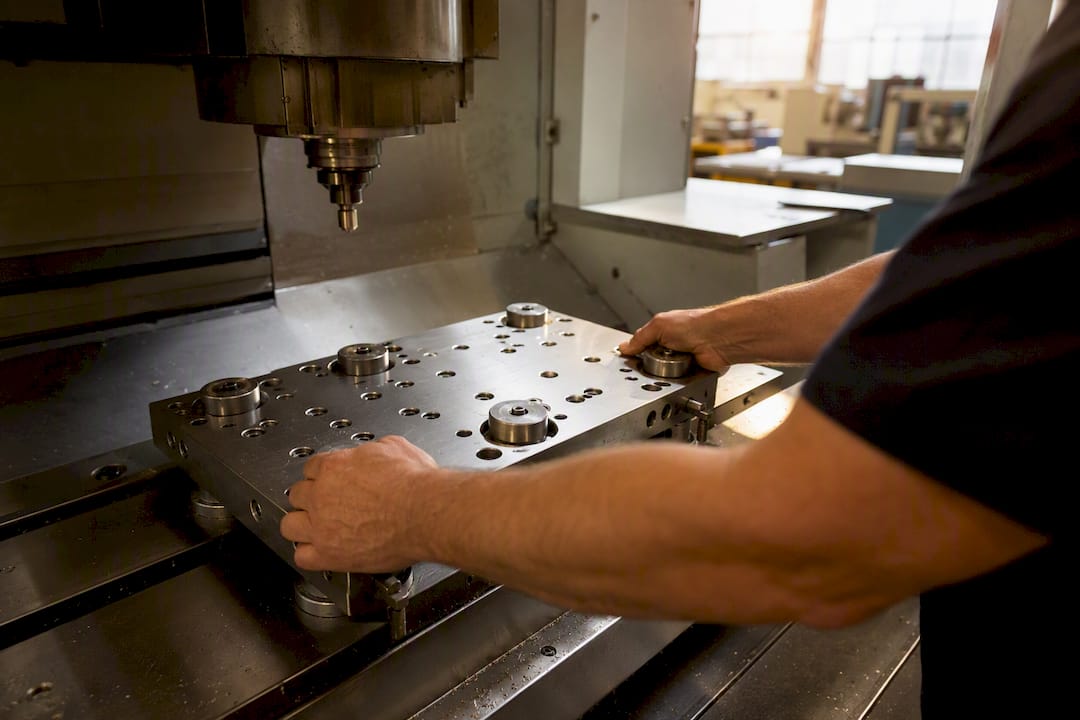
Use auto pallet changers and zero-point clamping systems to cut load and unload time from minutes to seconds.
-
Assign a named owner for each setup step and time it, so “about 20 minutes” becomes a number you can actually improve.
-
Schedule setup blocks on the production calendar instead of treating them as interruptions that happen whenever they happen.
Centralising NC programs, setup sheets and tooling data into a single PRT-style folder system cuts setup errors and makes every job traceable back to exactly what ran and when. That traceability matters more than it sounds. When a part fails inspection weeks later, you want to know instantly which tool, which program revision, and which operator ran it.
Measuring progress here is simple: track average changeover time per job family, weekly, and put it on the same board as your downtime numbers. Anderson’s zero-point pallet systems are built specifically to compress that load and unload step, which is usually where the biggest single chunk of changeover time hides.
Tool management: how tool-life tracking prevents unplanned stops
Tool failure is one of the sneakiest causes of downtime because it looks random until you start tracking it, and then it stops being random almost immediately. A worn tool that snaps mid-cycle doesn’t just cost the tool. It costs the scrapped part, the investigation time, and often a full re-setup.
Tracking tool life by usage or cutting time, not by calendar guesswork, and recording that data in the same NC folder as the program gives you a warning window before failure instead of a surprise. Combine that with:
-
Presetters to measure tool geometry offline, cutting setup error and eliminating the trial cuts operators use to “feel out” a new tool.
-
Barcode or tool ID systems so the machine and the tool crib both know exactly which physical tool is loaded, reducing mix-ups between similar-looking inserts.
-
Staged critical spares with minimum stock levels set for high-criticality tools, the ones where a stockout stops the whole job, not just slows it down.
-
Failure pattern reviews using monitoring data to spot the same tool position or program failing repeatedly, which usually points to a program problem, not a tool problem.
That last point is where monitoring earns its keep in tooling. If tool position 6 keeps failing early across multiple jobs, that’s not bad luck. That’s a feedrate or engagement angle in the program that needs fixing, and you’d never see that pattern without logged data tying failures back to specific tools and programs.
A shop running a defined tool-life and spares policy stops treating every tool break as a fire drill and starts treating it as a data point that either confirms the plan is working or flags what might need adjusting.
How should preventive and predictive maintenance work together?
Not every machine deserves the same maintenance budget, and pretending otherwise wastes money on your least critical equipment while your bottleneck machine limps along on the same schedule. Start by defining criticality honestly: which machines, if they go down, stop the whole shop, and which have redundancy or slack capacity to absorb a stoppage?
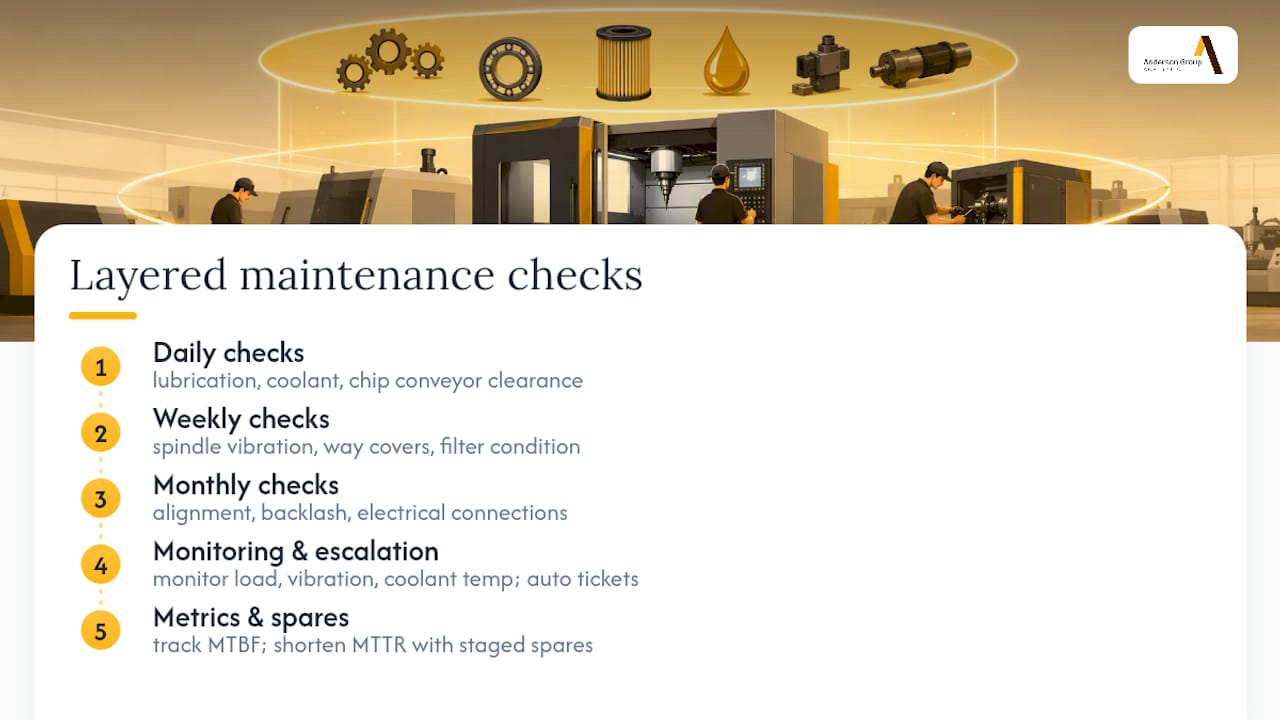
Layer your checks by frequency. Daily checks cover lubrication levels, coolant condition, and chip conveyor clearance, the things that cause slow degradation if ignored. Weekly checks step up to spindle vibration, way covers, and filter condition. Monthly checks handle the deeper inspection items: alignment, backlash, and electrical connections that don’t fail suddenly but do fail eventually.
Monitoring data turns maintenance from a calendar exercise into an early-warning system. Rising spindle load on identical jobs, a creeping vibration signature, or coolant running hotter than usual are all signals worth setting escalation thresholds around, so a maintenance ticket gets raised automatically instead of waiting for a human to notice something feels off.
Two metrics matter more than any others here: MTBF (mean time between failures) and MTTR (mean time to repair). A machine with a long MTBF but a slow MTTR is still costing you hours every time it does fail, because nobody has the spare part staged or the fault diagnosed quickly. Pairing a sensible preventive schedule on your bottleneck machines with a spares policy that keeps common failure parts on the shelf is what actually shortens MTTR, not just extends MTBF.
Program and CAM optimisation: cutting air-cutting and wasted cycle time
Air-cutting, the machine moving at full rapid or feed rate while cutting nothing, hides in plain sight on most floors because it looks identical to productive machining unless you’re watching the right signals. It shows up as flat, low spindle load combined with rapid traverse moves (G00 in the program), often stitched between cutting passes that never got optimised for tool path efficiency.
A 2025 study combining spindle-load monitoring, vibration analysis, and NC-block tracking demonstrated air-cutting reductions of up to 73% and total machining time savings of up to 42% in test scenarios. Detection accuracy improves when spindle-load thresholds are cross-checked against vibration RMS and the actual NC block being executed, which avoids false positives on legitimate high-speed finishing passes that also show low load.
Review non-cutting moves, tool changes and operation sequencing with the programmer. Validate changes for safety, quality and cycle time before releasing them to production.
| Detection signal | What it flags | Typical CAM response |
|---|---|---|
| Low spindle load during rapid moves | Air-cutting between cuts | Adaptive milling, shorter rapid paths |
| Actual vs standard cycle time gap | Program inefficiency or wear | Feedrate re-tuning, tool path revision |
| High tool-change frequency | Fragmented operation sequencing | Combine operations, reorder toolpaths |
Never trust a CAM software’s cycle-time estimate as gospel. Validate it against measured cycle times from your monitoring pilot, because the two numbers drift apart the moment real-world tool wear, material variation, and machine dynamics enter the picture.
Pilot and rollout plan: a 30/60/90 approach to CNC uptime
Trying to fix everything shop-wide on day one guarantees you fix nothing well. A phased rollout, moving from visibility to control to standardisation, gives you proof points before you ask for a bigger budget.
-
Pick your pilot fleet. Choose 3 to 10 machines that are genuine bottlenecks or high-value assets, not the easiest ones to wire up.
-
Days 1 to 30: capture baseline data. Log every stoppage, every cause, every duration. Rank your top downtime causes by total hours lost, not by how often they annoy people.
-
Days 31 to 60: implement response rules. Set escalation timers, tool-life limits, and setup standard work based on what the baseline data actually showed, not on assumptions.
-
Days 61 to 90: standardise and expand. Lock in the procedures that worked, train operators on them properly, measure before-and-after results, and use those numbers to justify expanding beyond the pilot fleet.
Payback on a combined monitoring, CAM, and inspection pilot commonly lands between 3 and 12 months depending on scope. A simple ROI calculation, hours recovered multiplied by your effective machine rate, minus pilot cost, is usually enough to justify moving to predictive maintenance tools once the basics are locked in. Small early wins, even something as unglamorous as an hour of admin time saved per shift, build the internal case for scaling further.
Which metrics actually prove your CNC uptime has improved?
Every uptime effort needs a scoreboard, and OEE (Overall Equipment Effectiveness) remains the standard one because it forces you to separate three distinct problems: availability (is the machine running when scheduled), performance (is it running at the speed it should), and quality (is it producing good parts). A machine can look “up” on a simple runtime report while still bleeding money through slow cycles or scrap.
Beyond OEE, track:
-
Downtime reason coding, tagged by operators at the point of failure, feeding a Pareto chart so you fix the two or three causes responsible for most of the lost hours first.
-
MTBF and MTTR trends over time, not just single snapshots.
-
Cycle time from monitoring versus CAM estimate, which exposes program drift before it compounds across a production run.
Set modest short-term targets during the pilot phase, a defined OEE point gain or a specific downtime-hours-saved figure, and report those numbers to management in the same units every time. Consistency in reporting is what turns a pilot into a funded programme.
How Anderson Group Australia helps deliver CNC uptime improvements
Anderson Group Australia supplies CNC machinery, servicing and spare parts. Confirm the exact machine configuration, installation arrangements and available support with the team.
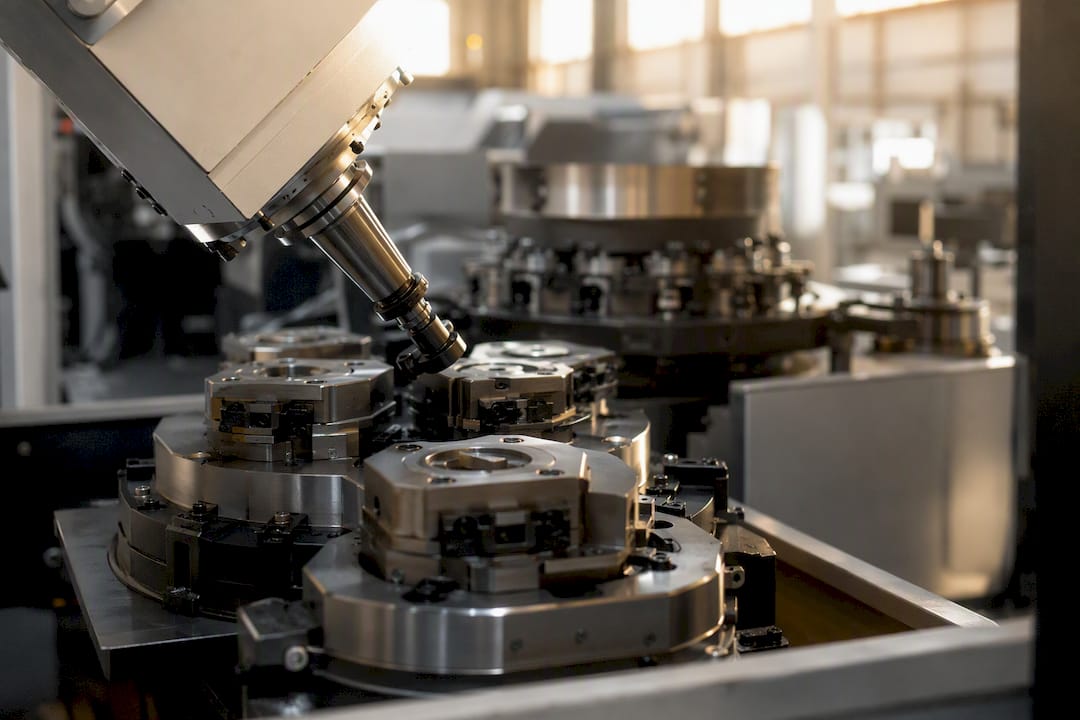
Beyond the machines, Anderson supports customers through pilot planning, spare parts supply, and maintenance contracts, the practical infrastructure that turns a monitoring pilot into a sustained improvement. Explore how these solutions apply across furniture, automotive, and aerospace applications where uptime pressure is highest.
What shops usually get wrong about improving CNC uptime
The biggest blind spot isn’t technology, it’s discipline. Shops buy monitoring software and expect the dashboard to fix things on its own, while operators keep logging downtime causes as “other” because nobody enforced the reason codes. Tooling rules get written once and ignored within a fortnight.
Leadership buy-in matters more than any sensor. If a supervisor doesn’t act on the first escalation alert, operators learn within a week that the system is decorative. Measure before you intervene. Guessing at your top downtime cause and fixing it anyway wastes the exact advantage monitoring gives you.
Get support running your CNC uptime pilot
Anderson is the practical partner for shops ready to move past guesswork, supplying the robust 5-axis machines, auto pallet changers, and zero-point systems that make setup reduction and monitoring pilots actually stick on the floor.

Rather than leaving you to retrofit sensors onto ageing equipment, Anderson builds monitoring-ready connectivity and setup-reducing automation into machines from the start, backed by parts supply and maintenance support once your pilot proves out. If you’re running a bottleneck fleet that needs both reliability and faster changeovers, take a look at the AXXIOM 5-Axis series and get in touch to discuss how a pilot fleet upgrade fits your production line.