
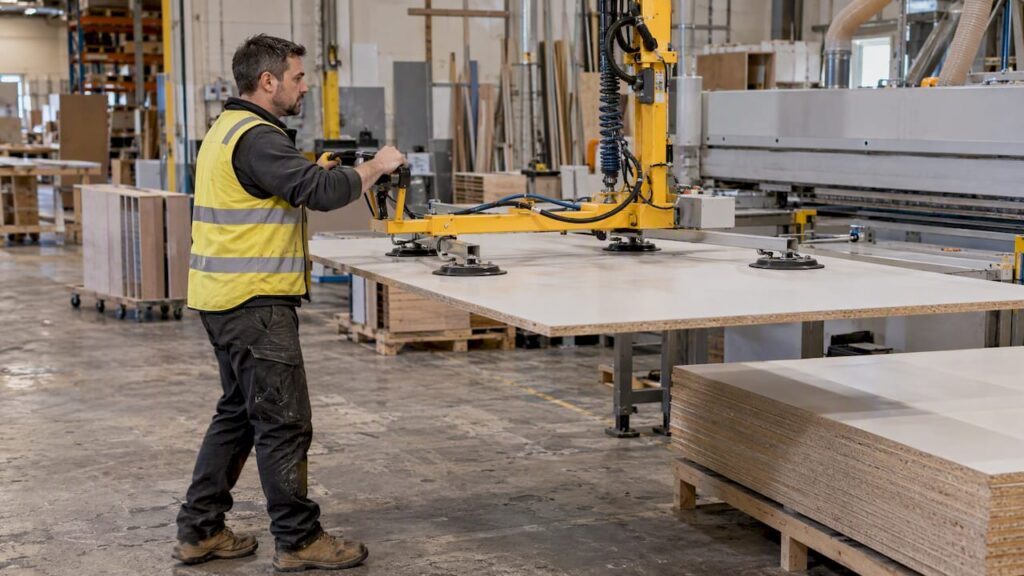
Automated panel handling is usually the right next investment once panels, not cutting, set your pace. Vacuum lifters, conveyors, automatic loaders and unloaders, and panel return systems cut manual lifting and keep machines fed. Before any quote, run a WHS risk assessment, then gather your panel sizes, weights and throughput targets and ask us for a site appraisal.
TL;DR:
- High volume nesting, large or heavy sheets, and repeated lifts favor integrated handling; shops cutting only a few sheets daily may need just a lifter.
- Before requesting quotes, document panel dimensions, maximum weight, materials, batch sizes, hourly throughput, floor layout, forklift routes, and CNC, saw, and edgebander models.
- Complete a WHS risk assessment before purchase, then specify suitable guarding, interlocks, presence sensing, operator training, and rated, maintained lifting equipment.
- Confirm load ratings, floor clearances, machine handshakes, and software links in writing, especially when connecting loaders or labeling equipment to existing machines.
- Inspect vacuum seals, pneumatic connections, sensors, belts, and visible wear regularly; follow documented maintenance and lockout and tagout procedures, and never bypass safety systems.
Table of Contents
- What panel handling automation covers on a production line
- Why automate: safety, throughput and consistency
- How the main components work
- How to specify a system for your shop
- Safety, compliance and training for automated handling
- Maintenance and reliability checks to budget for
- How we can help with your panel handling project
- FAQ
- Sources
What panel handling automation covers on a production line
Panel handling automation is everything that moves sheet material between machines without a person carrying it. For a cabinet, joinery or furniture shop, the main categories are:
- Vacuum or pneumatic lifters that raise and place sheets onto a machine bed or stack.
- Conveyors, whether belt, roller or elevating, that carry panels between stations.
- Automatic loaders and unloaders for beam saws and CNC nesting routers.
- Panel return systems that bring parts back to the operator or the next machine.
- Labelling and identification units that mark parts as they leave the cutting stage.
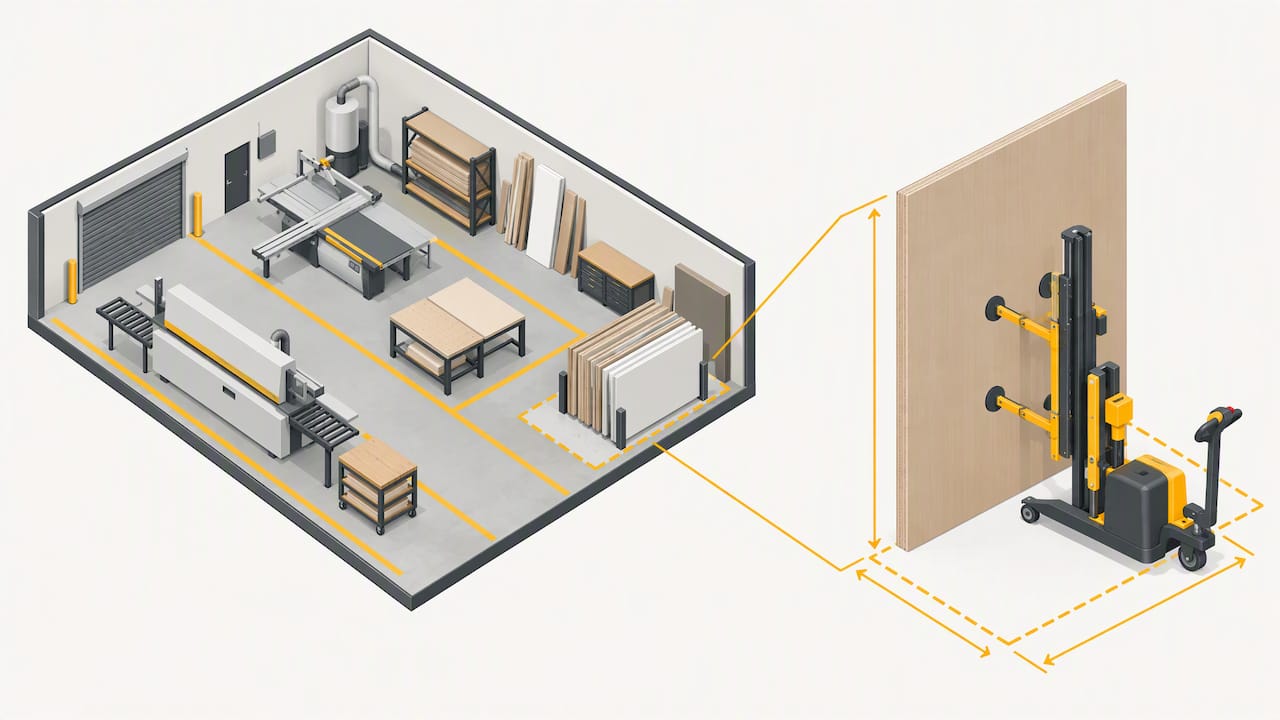
Placement follows the flow of work: infeed to a beam saw, feed to a CNC nesting router, outfeed toward an edge bander and then assembly. Shops gain most when they run high-volume nesting, handle large or heavy sheets, or repeat the same lifting task all shift. A low-volume shop cutting a few sheets a day may find a lifter alone is enough.
Why automate: safety, throughput and consistency
The strongest case is safety. Safe Work Australia’s model code on hazardous manual tasks recommends following the hierarchy of controls, including automation to eliminate risks and mechanical aids to reduce them.
Elimination comes first: the same code lists conveyors, vacuum lifters and trolleys as mechanical aids, and says they must be adequately rated, maintained and backed by training.
Beyond injury risk, the gains are practical:
- Well-integrated handling may help reduce delays between processing stages.
- A suitable handling system can support a repeatable loading process.
- Labelling linked to nesting data can help identify parts and match them to a job. Our guide on panel labelling checks covers that side in detail.
None of this comes from the hardware alone. Results depend on correct specification, sound integration and trained operators.
How the main components work
Each component solves a different problem, so match them to your layout and machine fleet.
- Vacuum lifters: capacity depends on the rated load, the sealing surface and panel porosity. Confirm the lifter’s safety features and operating limits with its supplier, and follow the manufacturer’s instructions.
- Conveyors: roller conveyors suit rigid, clean-faced panels, belt conveyors suit delicate surfaces, and elevating conveyors bridge height differences between machines.
- Loaders and unloaders: these feed beam saws and nesting routers. Ask about the cycle sequence and the floor footprint, because stacks, lift tables and clearances take real space.
- Panel return systems: On an edgebander line, a return system may help move panels back toward the operator. Check the specific system’s documented capabilities and suitability for the machine. Check the ARS panel return system product page for its documented application and compatibility. It is a separate product from our CNC routers, drills and panel saws.
- Labelling: Labelling options and their integration with nesting or CAM data depend on the equipment and software configuration. Confirm the workflow with the supplier.
- Controls: loaders usually talk to the machine through PLC signals or CNC handshakes. Confirm in writing how the handshake works with your router or saw before you buy.
How to specify a system for your shop
Collect these details before you ask for quotes:
- List your panel size range, maximum weight, material types and typical batch sizes. These set lifter geometry and load rating.
- Set throughput targets, in panels per hour or cycles per shift, and note peak demand against average.
- Sketch your floor space, feed points, forklift routes and clearances for conveyors and loaders.
- Name your nesting or CAM software and the make and model of your CNC router, beam saw and edge bander, so compatibility can be checked.
- Ask what installation covers, how maintenance access is arranged, and what service and spare-parts support is on offer.
- Add a budget band and your needed lead time to the brief.
If your line includes a compact automatic edge bander such as our Anderson AFS 243, tell us. Whether a panel return or an automatic feed suits it depends on your layout, so we confirm that against the model’s documented specifications.
Pro Tip: Photograph your layout and note the heaviest sheet you handle. These details can help a supplier assess lifter capacity and the space required.
Safety, compliance and training for automated handling
Automating a task does not end your WHS duties; it changes them. WorkSafe WA’s woodworking guidance expects employers to risk-assess machines and apply guarding, interlocks or presence-sensing where appropriate. Build these items into the procurement and commissioning plan:
- Guards: stationary, distance or fence guards, and interlocking guards where access is needed.
- Presence-sensing: suited to zones where an operator must approach while the machine is live.
- Lock-out and tag-out: a written procedure for maintenance, developed with the operators who use it.
- Training: link operator competency to the national unit FWPCOT3332, which covers setup, operation and operator maintenance of CNC machining centres, and add a site-specific induction.
- Records: keep certification and inspection records for rated lifting equipment and mechanical aids.
Sheet storage matters too. A WorkSafe Queensland incident alert describes a worker injured when a racking system failed, and recommends racking and transport frames certified for the loads they carry. For a wider view of machine standards, see our guide to CNC safety standards in Australia.
Maintenance and reliability checks to budget for
Automation stays safe only while it is inspected. SafeWork NSW guidance stresses regular inspection of vacuum seals, pneumatic lifters and presence-sensing perimeters. A practical routine covers:
- Regular checks: inspect equipment in line with the manufacturer’s instructions and your workplace procedures. Checks may include vacuum seals, pneumatic connections, sensor function, belt tension and visible wear.
- Maintenance: follow documented procedures and the manufacturer’s instructions, and ensure maintenance is carried out by appropriately authorised people. Our preventive maintenance checklist is a good starting template.
- Spares: seals, belts, sensors and other fast-wearing parts. Ask what is held locally and confirm the agreed service scope in writing.
Do not bypass safety systems. Follow the equipment’s lock-out/tag-out procedures before maintenance.
Pro Tip: Keep records of inspections and maintenance in line with your workplace procedures. These can help track equipment condition over time.
How we can help with your panel handling project
We supply wood CNC, nesting and panel-processing machinery, along with servicing and parts, to Australian kitchen, cabinet, joinery and furniture manufacturers. We do not offer subcontract cutting. Tell us about your line and we will help you work out what handling suits it. Useful starting points:
- Our wood machinery range for nesting and panel-processing applications.
- The full machines overview for model detail.
- The ARS panel return system.
When you enquire, include panel sizes, typical weights and throughput targets. Enquire about a quote with details of your equipment and layout. Confirm load ratings, guarding scope and integration requirements for the proposed system.
FAQ
What does panel handling automation include?
It covers vacuum lifters, conveyors, automatic loaders and unloaders, panel return systems and labelling units. Which of these you need depends on your machines and how panels move between them.
Do I need a risk assessment before buying?
Yes. WorkSafe guidance expects risk assessment of machines, and it should shape the guarding and interlocks you specify. Treat it as a procurement precondition rather than a commissioning afterthought.
What should I send a supplier to get an accurate quote?
Send your panel size range, maximum weight, material types, throughput targets and a layout sketch. Add the models of your router, saw and edge bander so compatibility can be confirmed.
What training do operators need?
Operators of CNC machining centres can work toward the national unit FWPCOT3332. Add a site induction covering your handling equipment and lock-out procedures.
Sources
- Guidance note – Safe use of woodworking machinery (Guarding)
- National Training Register – FWPCOT3332 Machine timber or engineered wood products using CNC machining and processing centres
- Routers CNC routers and spindle moulders: hazard identification | SafeWork NSW
- Injury to young worker caused by racking system failure