
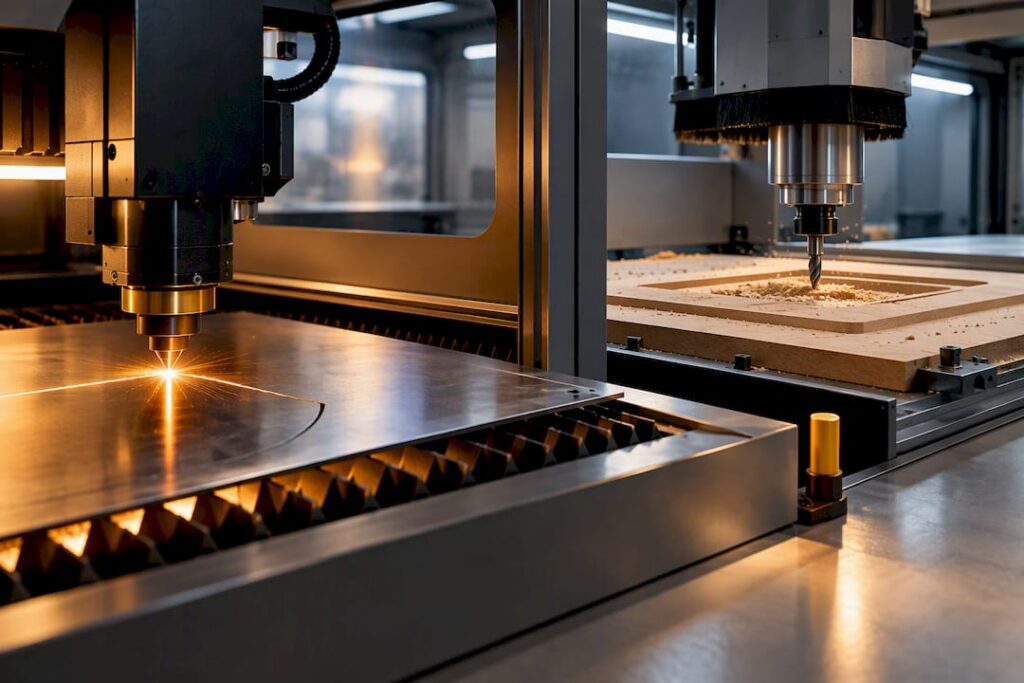
Compare laser cutting and CNC routing using the actual material, geometry, thickness, edge requirements and production volume. Routing can provide milling and drilling operations; laser capability depends on the laser system and material. Request representative samples and a documented process proposal before choosing equipment.
TL;DR:
Consider routing when the part requires suitable milling, pocketing or drilling operations; confirm the machine configuration.
Assess laser cutting or engraving against the specified laser type, material, thickness and required edge quality.
Check material compatibility and hazards for each process. Do not assume a material excluded from laser work can be routed without an appropriate assessment.
Costs differ: lasers incur ongoing expenses for optics and gas, while routers wear through cutting bits, with safety and ventilation systems needed for both.
Use both processes only where their separate capabilities and measured costs justify the additional equipment.
Table of Contents
-
Laser cutting vs CNC routing: capabilities and limits compared
-
Where each machine hits a wall: strengths, limits and materials
-
What Anderson recommends for manufacturers scaling production
Laser cutting vs CNC routing: capabilities and limits compared
Laser cutting uses thermal energy and CNC routing uses a rotating cutter. The available operations differ, but neither process has a universal accuracy or thickness advantage. Compare the proposed equipment on representative parts. The University of Melbourne fabrication guide provides an introduction to process selection; its specific equipment limits should not be treated as limits for every industrial system.
That mechanical versus thermal split shows up across every buying criterion:
-
Edge quality: routing leaves a tool-defined mechanical edge, while laser cutting leaves a heat-affected zone that can discolour or slightly alter the material at the cut line.
-
Thickness and throughput: confirm the workable range and cycle time for the exact material and machine.
-
Detail and repeatability: verify the specified tolerances, kerf or tool-radius constraints and inspection method using representative samples.
-
Consumables: obtain a model-specific list of tooling, optics, gases, filters and other service items that actually apply.
Compare full operating costs using supplier data and expected utilisation, including energy, consumables, extraction, maintenance and labour.
How a CNC router and a laser cutter actually cut material
A CNC router works like a computer-controlled version of a handheld router: a spindle spins a cutter through a fixed feed rate, guided by a program across two, three or five axes. Vacuum tables or mechanical clamping hold the workpiece still, which matters because CNC routers remove material with a rotating cutter and can machine pockets, drilled holes and multi-axis profiles that a flat cutting process simply cannot reach.
Laser system design varies by source, optics and intended operation. Confirm the model’s material capabilities, assist-gas requirements and cutting or marking functions with the manufacturer.
-
Router set-up: spindle power, cutter geometry, feed rate and workholding all interact to set tolerance and finish.
-
Laser set-up: beam type, focal length, assist gas and vector or raster mode all interact to set edge quality and speed.
-
Design consequence: kerf width and heat spread both eat into tight tolerances, so designers need to allow for them differently on each machine.
Where each machine hits a wall: strengths, limits and materials
Material selection must account for process compatibility and hazardous emissions. Check the material information and machine manufacturer’s approved applications. Do not infer that all laser systems are unsuitable for aluminium, timber or a particular thickness from the limits of one system.
-
Laser-unsuitable materials: PVC and similar chlorinated plastics, due to hazardous fume release.
-
Potential routing applications: timber, panels, plastics and selected metals where the exact machine and tooling are suitable.
-
Finish trade-off: assess the actual cut edge, surface damage, dimensional result and any required finishing for both proposed processes.
Compare repeatable production results, setup time and inspection requirements rather than relying on a single demonstration part.
Matching real jobs to the right machine
Most shops already know their parts well enough to sort them by process once they see the pattern laid out plainly.
-
Signage and fine detail: laser cutters suit signage, delicate inlay work, small-part raster engraving and thin acrylic shapes where heat effects don’t matter.
-
Model making and prototypes: lasers deliver quick, precise 2D prototypes for design validation before committing to production tooling.
-
Furniture and cabinetry: CNC routers handle panel processing, jigs and structural components, including the drilling and boring operations furniture makers rely on daily, covered in more depth in this furniture CNC machining guide.
-
Multi-operation parts: confirm the necessary milling and drilling operations, axis configuration and workholding for the proposed router or machining centre.
-
Combined production: evaluate whether two processes improve the proposed workflow after accounting for handling and alignment between machines.
Adding a second process should follow a measured production need and cost comparison, not an assumption that every growing shop needs both.
What a laser or router actually costs to own
Obtain quotations for the exact machine configuration and installation. Compare the relevant consumables, planned maintenance, power and extraction requirements over the expected workload. Router and laser systems have different cost drivers, and these vary substantially between models.
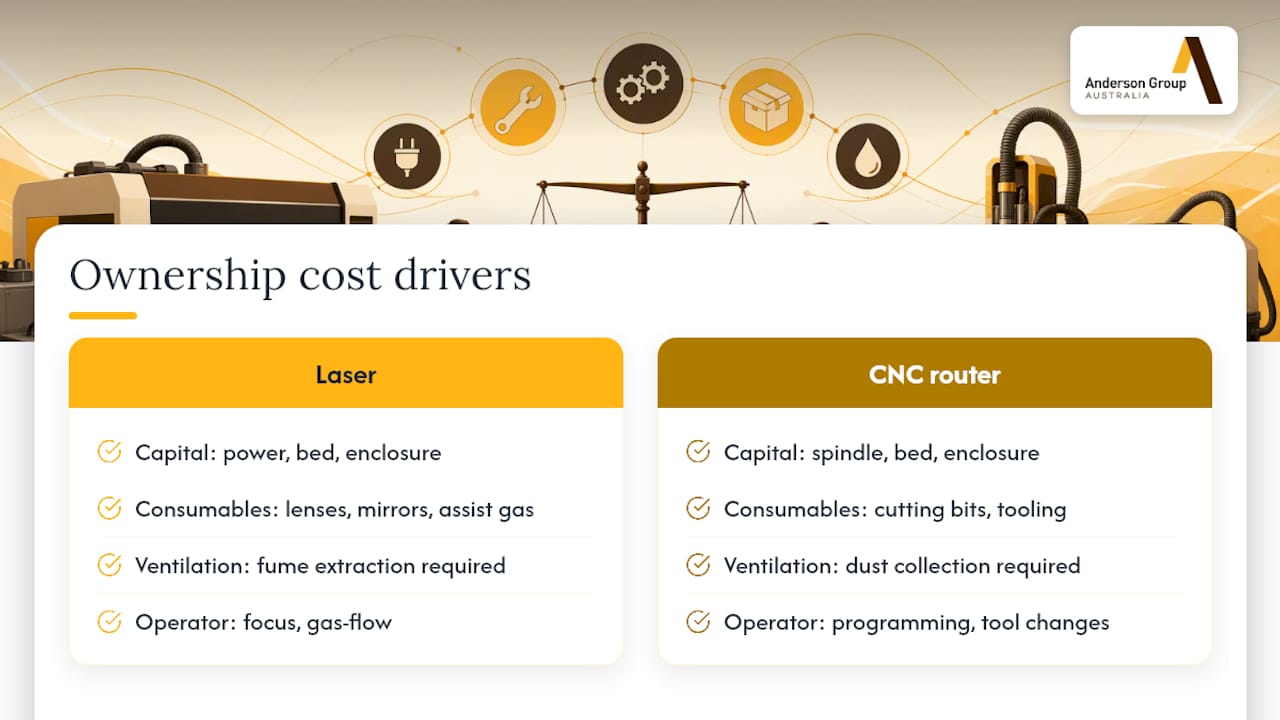
Include extraction design, installation, operator training and maintenance in the project scope. Confirm what is included in each supplier’s quotation and any additional work required at the site.
Safety and workshop controls you need before installation
Have the proposed laser installation and its hazards assessed by suitable specialists. Design extraction for the actual emissions and process; existing shop extraction should not be assumed suitable. WorkSafe Queensland’s LEV guidance explains the importance of matching controls to the work.
Router assessment should address cutting and moving parts, workholding, ejected material, airborne contaminants and other relevant hazards. SafeWork NSW’s router guidance provides examples of hazards and controls.
-
Documentation: record the risk assessment, operating instructions, training and maintenance arrangements. Confirm whether the activity requires a SWMS under high-risk construction rules.
-
Commissioning: agree the necessary checks and evidence with the supplier and responsible specialists before equipment is put into use.
Include effective capture of airborne contaminants in the equipment and installation assessment, together with inspection and maintenance arrangements.
A checklist for choosing between a router, a laser or both
Start with the part drawing and material. Thickness alone does not decide the process, and structural use does not establish that a router is the only option. Confirm that the proposed equipment performs every required operation.
-
Check geometry: identify pockets, holes, profiles, engraving and any multi-axis operations, then match them to the proposed equipment.
-
Check material safety data first: confirm a material is laser-safe before assuming suitability, since some plastics are hazardous to cut thermally.
-
Estimate throughput: compare cycle time and setup time for your typical batch size to see which machine’s economics actually fit.
-
Budget for the extras: ventilation, operator training and a maintenance plan all belong in the purchase decision, not added afterwards.
Pro Tip: Run your five most common parts through this checklist before quoting machines. It usually reveals whether you need one process or both.
What Anderson recommends for manufacturers scaling production
Discuss machine selection around the actual material, part geometry, production flow and workholding. Confirm software compatibility, training, support and any automation options for the exact configuration.
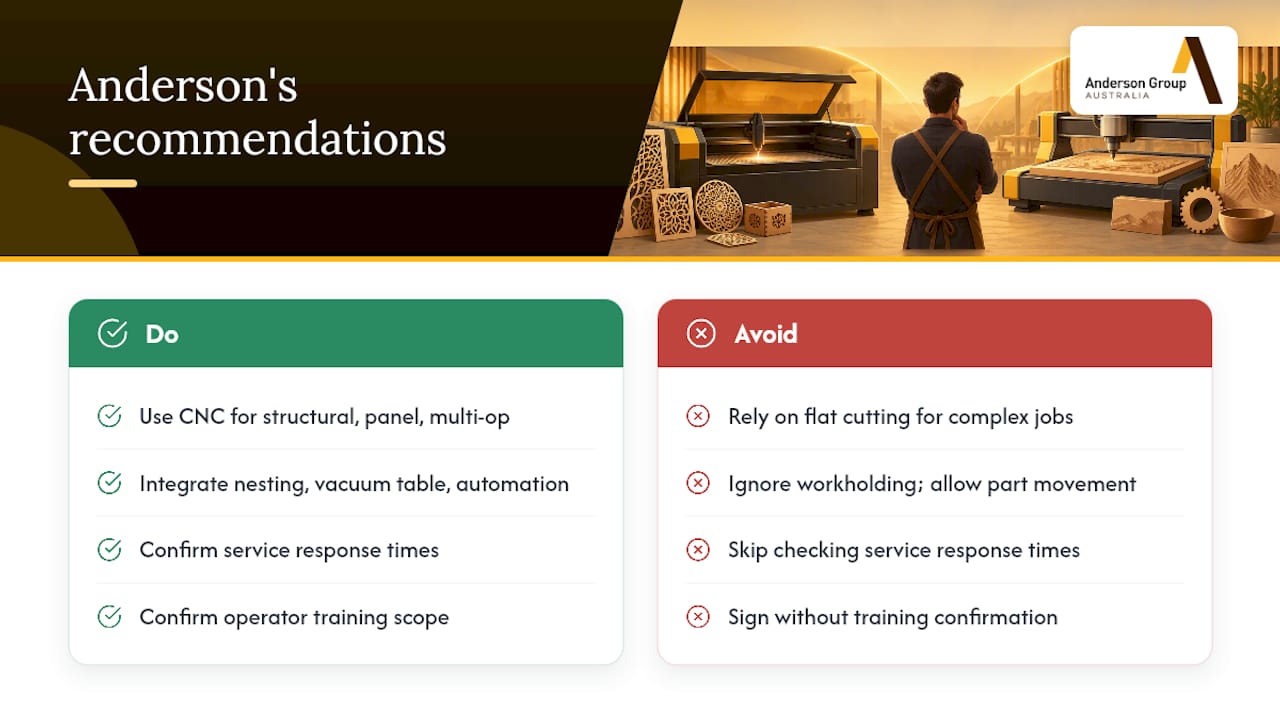
Choose the process that fits the production requirement
Choose equipment from the work it must perform and a measured investment case. Consider another process when it addresses a demonstrated requirement.
How Anderson can help you choose the right machine
Industrial CNC equipment is available for wood, metal and advanced materials, allowing shops weighing routing against laser work to get advice specific to the parts they actually produce rather than generic buying tips.
-
Wood Machinery suits furniture, cabinetry and panel processing where structural cuts and drilling dominate the job list.
-
Metal Machinery covers ferrous and non-ferrous work for shops moving between timber and aluminium or steel components.
-
Advanced Materials Machinery handles composites and specialised substrates that need dedicated tooling.
Contact Anderson Australia with your materials, drawings and expected production volume. Discuss suitable machinery and confirm which evaluation, training and service options are available.
Sources
-
Choosing the best fabrication method — The fab lab (University of Melbourne)
-
Routers CNC routers and spindle moulders: hazard identification — SafeWork NSW
FAQ
What are the downsides of using a CNC router?
CNC routing requires suitable workholding, tooling, guarding and control of the contaminants generated by the actual material and process. Include setup, maintenance and tool replacement in the operating plan.
Which is better for cutting acrylic, a CNC router or a laser cutter?
Compare results on the actual acrylic grade and thickness. The appropriate process depends on the proposed machine, part geometry, edge requirements and downstream operations; a general thickness rule is insufficient.
What is the best CNC router and laser combo?
There is no universal pairing. Define the jobs and constraints first, then compare whether one process or a justified combination meets them.
Does laser cutting count as CNC?
Laser cutting is computer numerically controlled in the sense that a program drives the cutting path, but it isn’t a CNC router. The fab lab’s fabrication guidance treats laser cutting and CNC routing as distinct processes with different material removal methods, thickness limits and edge outcomes.