
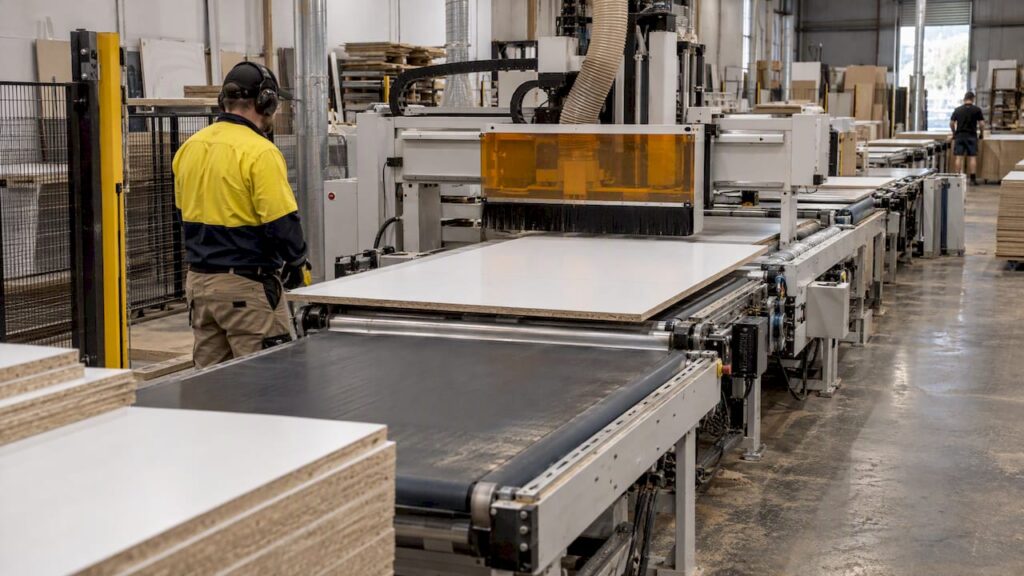
A fully automated CNC nesting production line is a connected sequence: sheets are fed to the nesting router, parts are cut and drilled, labelled the moment they leave the table, then sorted and passed on to edgebanding and assembly. For most Australian kitchen, cabinet and joinery shops, “fully automated” is reached in stages, not bought as one box. This guide explains what each stage does, what to check before you commit, and how to brief a machinery supplier so the line fits your production.
TL;DR
- A nesting line is only as automated as its weakest handoff: loading, unloading, labelling, sorting and file control all need a plan.
- Start from a documented constraint (labour, throughput, remakes), not a budget figure or a machine name.
- Map floor space, dust extraction and guarding early. Conveyors, outfeed tables and safety zones take more room than the machine itself.
- Confirm automation options against the exact model and configuration. Do not assume them from a family name.
- Ask for the service scope in writing before purchase. Anderson sells machinery, servicing and parts. We do not offer subcontract cutting.
Table of Contents
- What “fully automated” actually means in a cabinet shop
- Decide whether you need a line or a better workflow first
- The nesting machine at the centre
- Labelling, sorting and the handoff problem
- Software and job control: the other half of automation
- Vacuum holding on a production nesting table
- Floor space, dust and guarding
- Connecting nesting to edgebanding and drilling
- Servicing and parts: the real cost of automation
- A short checklist for briefing a supplier
- Where Anderson fits
- FAQ
- Sources
What “fully automated” actually means in a cabinet shop
The phrase covers a wide range. At one end is a single nesting router with a vacuum table, where an operator loads sheets and unloads parts by hand. At the other is a cell with automatic sheet loading, labelling, robotic or conveyor unloading, and links to edgebanding and drilling.
It helps to break the line into stations and decide how automated each needs to be:
| Station | Manual version | Automated version |
|---|---|---|
| Sheet infeed | Operator lifts sheet onto table | Lift table or loader feeds sheets |
| Nesting and cutting | Router with vacuum table | Same, driven by scheduled job files |
| Drilling | Separate machine or hand-set | Drilling in the nesting machine or a dedicated drilling and routing centre |
| Labelling | Hand-printed or hand-applied | Labels applied at the machine |
| Unloading | Operator removes and stacks | Automatic unloading or sorting |
| Edgebanding | Standalone edgebander, hand-fed | Edgebander fed by return or conveyor system |
| Assembly staging | Trolleys and floor stacks | Sorted by cabinet or job |
You do not have to automate every row. Most shops get the most from the stations where people currently wait, lift or look for parts.
Decide whether you need a line or a better workflow first
Before buying hardware, check what you can fix with the machine you already run. Our guide to reducing CNC waste from design to G-code covers yield, grain direction, part mix and cutter clearances. Better nesting layouts and grouping jobs by finish cost nothing and give you a baseline to measure a new line against.
An automated line makes sense when you can point to a documented constraint:
- The nesting router is the bottleneck and the operator spends much of each cycle loading and unloading.
- Labour for lifting sheets and sorting parts is hard to find or hard to keep.
- Remakes come from lost, mislabelled or mixed-up parts.
- Order volumes have grown and batch-size-one kitchens are queuing for the router.
If none of these is true, a single well-specified nesting machine may be the right next step. If you are weighing that route, see how nesting-based manufacturing improves yield and labour for cabinet shops.
Track a few numbers for several weeks first: yield percentage, parts per shift, machine utilisation and remake rate. These are the figures you will use to judge whether the investment is working. We do not publish savings or return figures for our customers, so build your case from your own data.
The nesting machine at the centre
The router is the heart of the line, so specify it for your panel mix. For woodworking and panel processing, our nesting machines sit under Anderson wood machinery.
Genesis PLUS: what the product page documents
The Genesis PLUS nesting CNC machine is described on its product page as a fifth-generation nesting machine offered in two sizes. The documented specifications include:
- A 15HP HSK-63F air-cooled spindle with speeds up to 24,000 RPM.
- Vectorial speeds up to 127 m/min.
- Bosch Rexroth linear bearings on all axes.
Those are the documented facts. Whether a given Genesis PLUS configuration suits a particular loading or unloading arrangement is a question for a quote, not an assumption. Tell us your sheet sizes, daily sheet count and the stations you want automated, and we will confirm what is available for that exact model and configuration.
Keep the model families distinct
Our wood range is not one machine type, and the differences matter when you plan a line:
- ATS is nesting, routing and drilling.
- ADM is six-sided drilling and routing.
- AFS machines are edgebanders.
- ARS is a panel-return system.
A line that mixes these needs a clear idea of which machine does which job, and how parts move between them. Do not read a capability from one family into another.
Labelling, sorting and the handoff problem
Automation often fails at the handoffs, not at the cutting. Our cabinet production workflow guide makes the point that a part should be labelled as it leaves the machine, because an unlabelled part sitting on a stack is how misplacements and remakes begin.
When you brief a supplier, ask specifically:
- Where does the label print and where is it applied: before, during or after cutting?
- What identifies the part: job, cabinet, part name, edge details, next station?
- How do parts leave the table: by hand, on a conveyor, or by an automatic unloader?
- What happens to offcuts and small parts that may shift during cutting?
- How does the sorted output reach the edgebander and the assembly area?
If an answer is “the operator will handle it”, that station is manual, and you should plan labour for it.
Software and job control: the other half of automation
A line that runs on poor files will produce poor parts faster. A controlled job package should include verified CAD/CAM files, a locked bill of materials and revision control, so the operator does not cut an outdated version of a cabinet. The same guide sets out how design, nesting, CAM, machining and assembly connect, and it is worth reading before you talk to any supplier. For a broader view of the process, see cabinet CNC machining for Australian kitchen and cabinet makers.
Questions to settle before commissioning:
- Which design and CAM software produces your nesting files, and does it post correctly for the controller?
- Who owns the tool library and the process for updating it?
- How are file revisions locked once a job is released to the floor?
- Can jobs be queued so the machine keeps running through changeovers?
Small shops can reach most of this benefit with a nesting-first workflow before they add conveyors. Our guide for small cabinet shops adopting a nesting-first CNC workflow walks through the steps.
Vacuum holding on a production nesting table
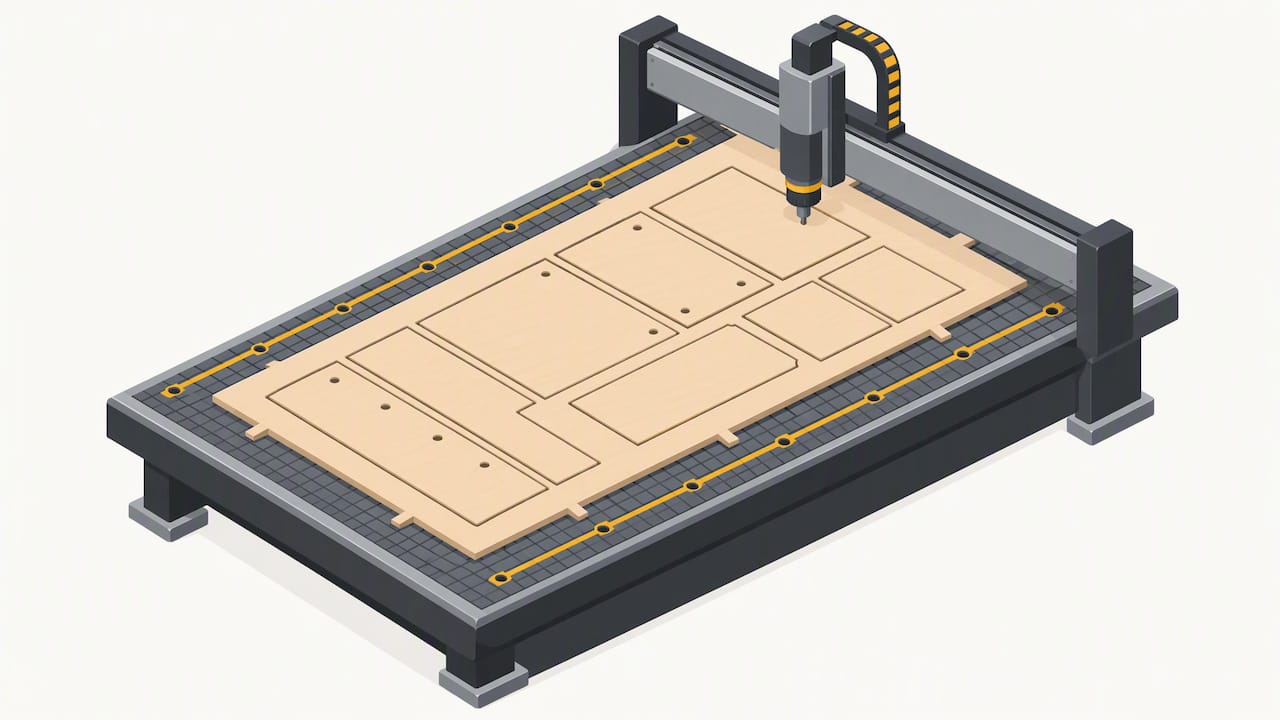
When the line runs for long shifts, workholding consistency matters. For vacuum-held nesting, toolpath order affects whether parts stay put. Sequencing the cuts closest to the perimeter grid channels last helps preserve vacuum contact area, because roughing near the seals early can lead to parts shifting or breaking vacuum. The detail is in our vacuum fixturing guide. This is general guidance. Your own board types, sheet condition and pump capacity decide what works on your table.
Floor space, dust and guarding
Plan the footprint
Most shops underestimate the space an automated cell needs once infeed, outfeed, conveyors and safety zones are added. Draw the whole flow to scale, including forklift routes and pack storage, before you sign anything. Our article on CNC cell layout covers layout principles for cells with automated tending.
Dust extraction is separate from machine choice
Wood-panel nesting generates a lot of fine dust, and that is a health and fire matter, not a detail. Treat extraction as its own design task: capture at the source, size the system for the machine and your sheet material, and plan how filters and bins are maintained. Do not assume extraction capacity from a machine name, and ask us to confirm the requirements for the exact model.
For the rules, start with Australian sources:
- SafeWork NSW hazard identification for routers and CNC routers covers hazards including exposed cutters, premature start-up and guarding by perimeter fencing.
- WorkSafe WA guidance on guarding woodworking machinery notes that failing to fit or replace guarding on moving parts, or to follow lock-out and tagging procedures, are common causes of harm.
- Occupational Hygiene Australia on wood dust monitoring discusses how enclosed CNC routers with integral extraction can achieve low emissions, while stressing that extraction efficiency has to be verified.
- Our own pages on Australian wood dust standards and combustible dust risks in CNC shops put the standards and source extraction in a shop-floor context.
Requirements differ by state and territory, and by the species and boards you cut. Confirm what applies to your site with your state work health and safety regulator or a qualified occupational hygienist. Automated cells add guarding and interlock questions: ask a suitably qualified person to review the finished layout before it runs.
Connecting nesting to edgebanding and drilling
A nesting line stops being fully automated if parts sit in piles waiting for the edgebander. Keep the applications distinct when you plan:
- Nesting and routing produce cut parts from sheets.
- Drilling may happen on the nesting machine (ATS) or on a dedicated six-sided drilling and routing machine (ADM), depending on your part mix.
- Edgebanding is a separate process on AFS edgebanders, and the speed of that station often sets the true pace of the line.
- Panel return (ARS) deals with returning panels for a second pass on an edgebander.
The practical test is the slowest station. If the edgebander runs at half the router’s pace, adding an unloader to the router will not lift output. Ask your supplier to walk through the flow of one real kitchen from sheet to carton.
Servicing and parts: the real cost of automation
The more connected the line, the more one stoppage costs. Before buying, ask in writing:
- What does the service agreement include, and what is the agreed scope?
- How are breakdown calls handled and what response is committed to?
- Which consumables and wear parts are held locally, and which are ordered in?
- What preventive maintenance does the machine need, and who carries it out?
We only describe service inclusions, response times, maintenance intervals and local stock when they are documented, so please confirm the scope you are being offered for your model and location. That applies to any supplier you speak with.
A short checklist for briefing a supplier
Bring this to the first conversation:
- Sheet sizes, thicknesses and board types, plus daily and weekly sheet counts.
- Your current bottleneck and the numbers behind it.
- The stations you want automated, in priority order.
- A floor plan with dimensions, power, compressed air and extraction points.
- Your design and CAM software.
- Downstream equipment: edgebander, drilling, assembly.
- Your service expectations and who will operate and maintain the line.
With that list, a quote is about your production, not a generic machine.
Where Anderson fits
Anderson Group Australia supplies CNC machinery, servicing and parts to Australian manufacturers, and more than 90% of our customers work in wood: kitchens, cabinets, joinery and furniture. We help you match nesting and panel-processing machines to your own production. We do not offer subcontract cutting or finished-part manufacturing.
To see the wood range, visit Anderson wood machinery or go straight to the Genesis PLUS. If you want to talk through your application or request a quote, start from the Anderson Group Australia home page. Metal and aluminium milling is a separate range under our metal machinery page and is not part of a panel nesting line.
FAQ
Can a small cabinet shop run a fully automated nesting line?
Yes, but usually in stages. Many shops start with a nesting router and a controlled file workflow, then add loading, labelling and unloading where the numbers justify them. Start with the bottleneck you can measure.
Does every nesting machine support automatic loading and unloading?
No. Automation options depend on the exact model and configuration, so do not assume them from a machine family name. Tell us your sheet sizes and output, and we will confirm what is available for the model you are considering.
What should I fix before buying an automated line?
Improve your nesting layouts, group jobs by finish, and lock down files and revisions. These steps cost little and give you a baseline for yield, parts per shift, utilisation and remakes. Our waste reduction guide is a good starting point.
Do I need to plan dust extraction separately?
Yes. Extraction is its own design task and is not implied by the machine model. Check the requirements with your state regulator or an occupational hygienist, and ask us to confirm the needs of the exact model.
Does Anderson cut parts for customers?
No. We supply machinery, servicing and parts for your own production. We do not offer subcontract cutting, machining or finished-part manufacturing.
Sources
- SafeWork NSW: Routers, CNC routers and spindle moulders hazard identification
- WorkSafe WA: Safe use of woodworking machinery (guarding) guidance note
- Occupational Hygiene Australia: Wood dust monitoring and control in Australian workplaces