
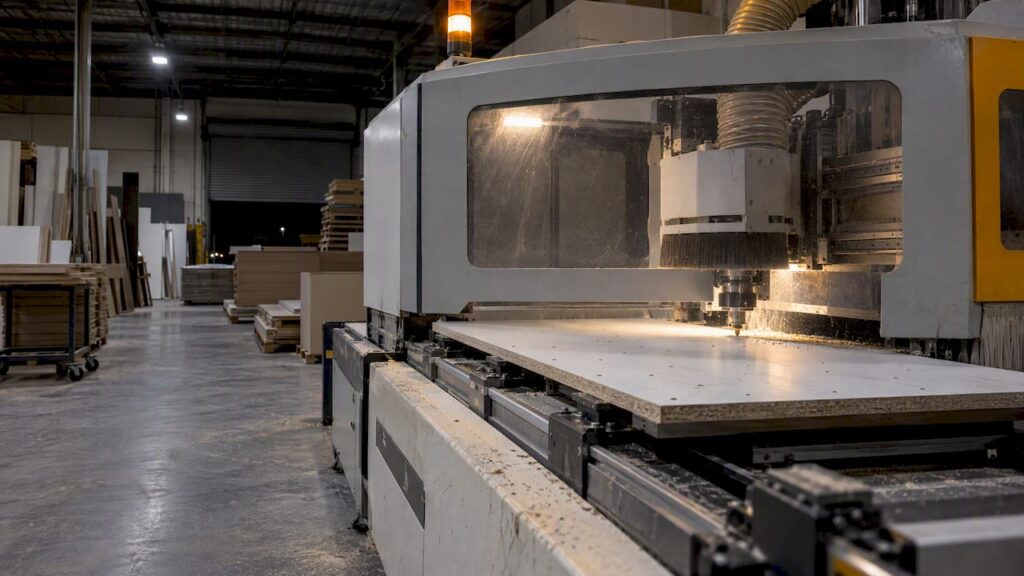
CNC drilling is the right call for most production cabinetry, because programmed holes repeat to the same position across hundreds of parts and keep running after the shop closes. Manual drilling still earns its place for one-off jobs, prototypes and on-site repairs where a jig and a drill press get the job done without firing up a machine. The checklist further down helps you work out which side of that line your shop sits on.
TL;DR:
- Flat panels with holes on several faces suit six side or nesting machines; shaped doors and curved parts need point to point or multi axis equipment.
- Manual drilling can cost less for irregular one off work; CNC payback depends on utilisation, nesting yield, and labour shifted to setup and quality checks.
- Prove each new program with a reduced speed dry run and first part inspection, and use consistent vacuum beds, clamps, or fixtures to locate panels.
- Commercial shops need M or H class industrial extraction for hazardous wood dust; CNC automation does not replace guarding, emergency stops, or maintenance checks.
Table of Contents
- CNC vs manual: accuracy, repeatability and throughput compared
- Which CNC machine types cabinet makers actually use and how they map to manual tasks
- Decision checklist: how to choose for your workshop
- Cost drivers and realistic payback considerations
- Practical shop changes: nesting, program testing and fixturing for reliable results
- Safety and WHS obligations that affect machine choice and shop setup
- How we support cabinet makers choosing CNC drilling
- If you’re ready to discuss your hole map, request a quote or machine recommendation
- FAQ
- Sources
CNC vs manual: accuracy, repeatability and throughput compared
The gap between the two methods shows up most clearly over a production run, not on a single part. A CNC program drills the same hole in the same position every time, because the toolpath doesn’t drift the way a hand-held drill or a fence-guided jig can drift after the fortieth or fiftieth repetition. Manual drilling can hit tight tolerances on an individual part when an experienced tradesperson sets up carefully, but that accuracy is personal and situational: it depends on the jig staying square, the bit staying sharp and the operator staying fresh through the shift.
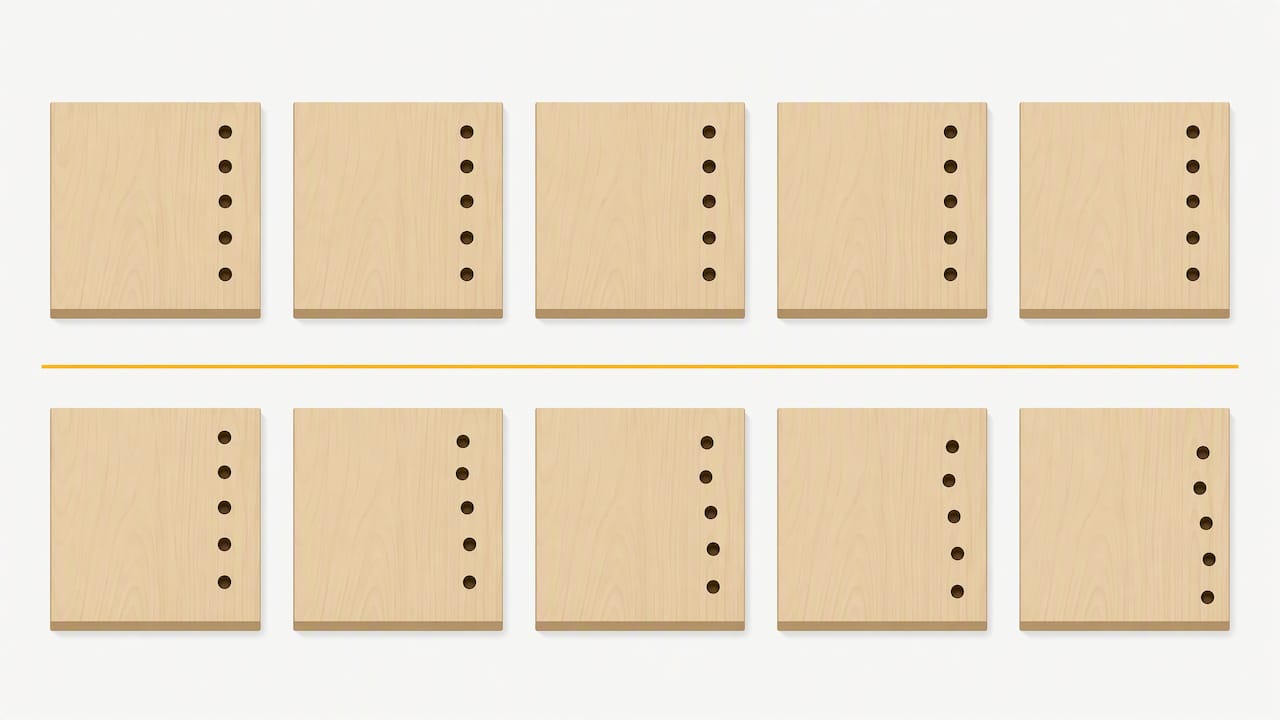
Throughput follows the same pattern. Nested CNC production can run unattended overnight once a program is proven, and industry reporting on CAM-driven workflows describes CNC machining centres improving accuracy and efficiency by automating boring, milling and pocketing with repeatable toolpaths across extended runs. Manual drilling has no equivalent: every part needs a person at the machine, so capacity scales with labour hours rather than machine hours.
Where the difference bites hardest is on assemblies that depend on multiple matching holes:
- Drawer runner alignment, where a few tenths of a millimetre of variance between left and right side panels causes binding or racking.
- Hinge boring across a run of doors, where inconsistent hole depth or position shows up as visible gaps once doors are hung.
- Shelf pin lines, where even small positional drift accumulates across a cabinet carcass and throws shelves out of level.
For a single custom piece, a careful tradesperson with a drill press and a shop-made jig can match CNC accuracy. For a batch of twenty identical carcasses, that same setup is far more likely to drift.
Which CNC machine types cabinet makers actually use and how they map to manual tasks
Different CNC configurations replace different manual steps, and matching the machine to the task matters more than chasing the newest spec sheet.
- Six-side drilling machines remove the multiple flips and re-indexing that manual drilling needs when holes are required on several faces of a panel, cutting out the repeated clamping and realignment that introduces error on edge and face boring.
- Nesting machines with drill banks combine panel routing and hole boring in one pass across a full sheet, which suits shops running sheet-first production where parts are nested for yield before any drilling happens. Nested manufacturing workflows built around this approach let shops lift material yield while routing labour toward setup and quality checks rather than repetitive boring.
- Point-to-point (PTP) and multi-axis machines handle shaped doors, curved components and non-rectangular parts that a straight drill bank can’t index properly, making them the right fit for furniture work that mixes drilling with contoured machining.
- Traditional multi-row or multi-spindle drilling rigs remain a lower-cost, limited-automation option for shops making a stable, unchanging part family: boring centres are fixed, so there’s little flexibility when the product range shifts, but for a narrow product line they can still outperform a manual drill press on consistency.
A shop choosing between these should look at part shape and face count first. Flat rectangular panels with face and edge holes point toward six-side or nesting configurations; shaped doors and curved parts point toward PTP or multi-axis machines.
Decision checklist: how to choose for your workshop
Before committing either way, map the decision against your own production, not a generic rule of thumb.
- Draw the hole map for a representative part, noting every face that needs boring and how many flips a manual process would need to complete it.
- Estimate daily and weekly part volumes, and decide whether overnight unattended runs or daytime batch work suits your shift pattern.
- Measure available floor space and check whether your team can handle routine maintenance or will need a service contract.
- Confirm your CAD/CAM and nesting software can generate reliable programs, and that someone on the floor can prove a program safely before a full run.
- Model financing against realistic payback drivers: utilisation rate, labour reallocation and the jobs you’d actually run through the machine each week.
Pro Tip: Bring your busiest part’s hole map and your weekly volume numbers to any machine conversation. They tell a supplier more than a spec sheet ever will.
Shops that tick most of these boxes toward volume, repeat part families and software readiness usually lean CNC. Shops doing mostly custom, one-off work with wide variation between jobs often get more value staying manual a while longer.
Cost drivers and realistic payback considerations
Capital cost for CNC equipment spans entry, mid and high tiers depending on bed size, axis count and automation level such as auto pallet changing or six-side capability, and the right tier depends entirely on your part mix and volume rather than on buying the biggest machine available. Operating costs deserve equal attention when modelling payback.
- Tooling wears and needs replacing on a schedule, and the cost scales with the number of boring operations run per shift.
- Maintenance, service contracts and spare parts availability affect uptime more than almost any other factor once a machine is installed.
- Energy draw adds a recurring cost that’s easy to overlook next to the headline machine price.
- Labour doesn’t disappear with CNC, it shifts toward setup, program proving and quality checks instead of hands-on drilling.
Payback depends on utilisation rate and nesting yield as much as on the machine itself. A machine running two short batches a week pays back far slower than one running nested sheets across a full shift, and CAM-driven nesting is reported to improve material utilisation and turnaround when the workflow around the machine is built to support it, not just the hardware. For very low, irregular volumes or genuinely one-off work, manual drilling with a drill press and jigs often remains the lower-cost route, because the capital outlay and setup time for CNC can’t be justified against the number of parts actually produced.
Practical shop changes: nesting, program testing and fixturing for reliable results
Getting CNC accuracy in practice means changing how work moves through the shop, not just swapping the drill for a program.
- Nesting arranges parts across a sheet before cutting or drilling begins, which changes material yield and the order operations run in, and shops adopting a nesting-first workflow report meaningful yield gains once the layout logic is built into the process rather than bolted on afterward.
- Every new program needs a reduced-speed dry run before a full-speed pass, a step that national training units for CNC and drilling machine operation list as a core competency alongside trial runs and operator maintenance.
- Work-holding on a CNC relies on vacuum beds, clamps or fixtures suited to sheet goods rather than the shop-made jigs used for manual drilling, because the machine needs consistent, repeatable part location every cycle.
- Operators shift from drilling by hand to setting up programs, monitoring cycles and checking first-off parts, which changes the skill set the role demands.
Pro Tip: Treat every new program as unproven until a dry run and a first-off check confirm it, regardless of how many times it’s run before on a different sheet.
Safety and WHS obligations that affect machine choice and shop setup
Whichever method you run, the same workplace health and safety obligations apply. Safe Work Australia’s guidance on plant in the workplace treats guarding as a primary control and expects buyers to weigh safety information and documentation when selecting machinery, manual or automated.
- Machine guarding must prevent access to danger points, and this applies to drill presses and CNC cells alike.
- Commercial workshops need industrial-rated dust extraction, with WorkSafe Queensland specifying M or H-class filtration for hazardous wood dusts like MDF, because domestic vacuums don’t meet commercial standards.
- Emergency stops, interlocks, lockout/tagout procedures and documented maintenance checks are required controls, not optional extras.
- Automation changes what the operator does day to day, but it doesn’t remove any of these obligations: a CNC cell still needs guarding, extraction and documented checks.
How we support cabinet makers choosing CNC drilling
We match machine selection to actual hole maps and throughput needs, rather than pushing a one-size machine at every shop. Our Genesis PLUS nesting CNC and the wider Anderson range cover sheet-first nesting and drilling configurations for panel-based production, and we point buyers to the relevant product page for verified specifications before any decision is made. Beyond the machine itself, we provide servicing, spare parts and application advice to support the switch from manual to automated drilling. We supply, service and advise on machinery: we don’t offer subcontract cutting or machining.
If you’re ready to discuss your hole map, request a quote or machine recommendation
If you’ve mapped your part’s holes and worked out your weekly volume, we’re ready to discuss your needs. Bring a representative part, its hole map, current volumes and bottlenecks, and we’ll help match suitable configurations. Start with our Wood Machinery range or go straight to the Genesis PLUS product page to request a quote.
FAQ
What are the negatives of using a CNC machine?
A CNC machine carries a higher upfront capital cost than a drill press, and it needs proven programs, suitable work-holding and trained operators before it delivers its accuracy advantage. Shops with very low or highly irregular volumes may find the capital outlay and setup time hard to justify against the number of parts actually produced.
Is CNC machining a dying trade?
No, CNC machining is a growing skill area rather than a declining one: national training packages such as MSFFM3033 continue to define competencies for setting up, operating and maintaining CNC and drilling equipment. Demand has shifted from manual drilling skills toward programming, setup and quality checking roles.
How much does a cabinet making CNC machine cost?
Pricing varies by machine specifications and features, with no single figure applying across machine types. We quote machinery such as the Genesis PLUS on request once we understand your hole map, volumes and floor space.
What is the best CNC software for cabinet design?
There’s no single best package: the right CAD/CAM software depends on whether your priority is nesting efficiency, door shaping or integration with your existing design workflow. What matters most is that the software can generate reliable, provable programs and support a nesting-first approach to panel yield, as industry coverage of CAM-driven cabinet production describes.
Sources
These sources back the safety, training and workflow claims made above, for readers who want to verify or follow up directly.
- CAD/CAM Highway to profits — Wood Review
- Selecting the right portable extractor or industrial vacuum cleaner for hazardous dusts — WorkSafe QLD
- Training