

A power conditioner for a CNC machine is a mains-side device that regulates voltage, filters electrical noise and suppresses surges before the supply reaches the controller and drives. A voltage stabiliser does only the first job. Whether your shop needs either depends on the quality of your own supply, which you can measure before you buy. The machine’s documented electrical requirements set the range you need to stay within.
This guide is for kitchen, cabinet, joinery and furniture manufacturers running nesting routers, drilling centres and panel-processing lines, and for shops with metal machining centres. It covers what the devices do, the symptoms that point to a supply problem, how to size one, and the Australian electrical rules that apply.
TL;DR
- A voltage stabiliser corrects how high or low the voltage is. A power conditioner adds isolation, noise filtering and surge suppression. Neither replaces a UPS during an outage, because neither has a battery.
- Voltage sags are the most common disturbance for industrial customers, and they can trip contactors, reset controllers and fault servo drives.
- Measure first: log your incoming supply over a working period, then compare it with the voltage range the machine’s documentation states.
- Size the unit for inrush current and duty cycle, not only running kVA, and have a licensed electrician install it.
- Confirm the electrical requirements of the exact model you are buying before you plan the installation.
Table of Contents
- Power conditioner or voltage stabiliser: what each one does
- Why supply quality matters to a CNC machine
- Signs your shop may have a supply problem
- Measure first, then specify
- Sizing a conditioner or stabiliser for a CNC load
- Installing it safely in Australia
- Planning for power before the machine arrives
- Machines we supply, and how to take the next step
- FAQ
- Sources
Power conditioner or voltage stabiliser: what each one does
The two terms are often used as if they were interchangeable. They are not.
A voltage stabiliser (also called an automatic voltage regulator, or AVR) holds the output voltage steady while the input rises and falls. A servo-type stabiliser samples the line voltage and drives a motor on a variable transformer to correct it, giving a smooth output. A cheaper relay-type unit corrects in steps.
A power conditioner does more. According to one power-conditioning guide, it combines voltage regulation, an isolation transformer, a noise filter and surge suppression. The isolation transformer separates the machine’s supply from the building’s wiring, which helps when sensitive electronics share a noisy plant. Voltage regulation is one block inside it.
Two limits apply to both:
- Neither has a battery. They steady and clean the supply but cannot keep a machine running through an outage. Frequent interruptions point to an online UPS (uninterruptible power supply) instead. For motor loads such as a spindle and vacuum pumps, a conditioner or stabiliser is generally the better match.
- A stabiliser is not a surge protector. A stabiliser deals with sustained voltage variation. A surge protector handles short spikes. Industrial installations often need both.
Why supply quality matters to a CNC machine
A CNC router or machining centre is a set of sensitive electronics (controller, drives, encoders) running heavy motors. The supply affects each part differently.
Voltage sags
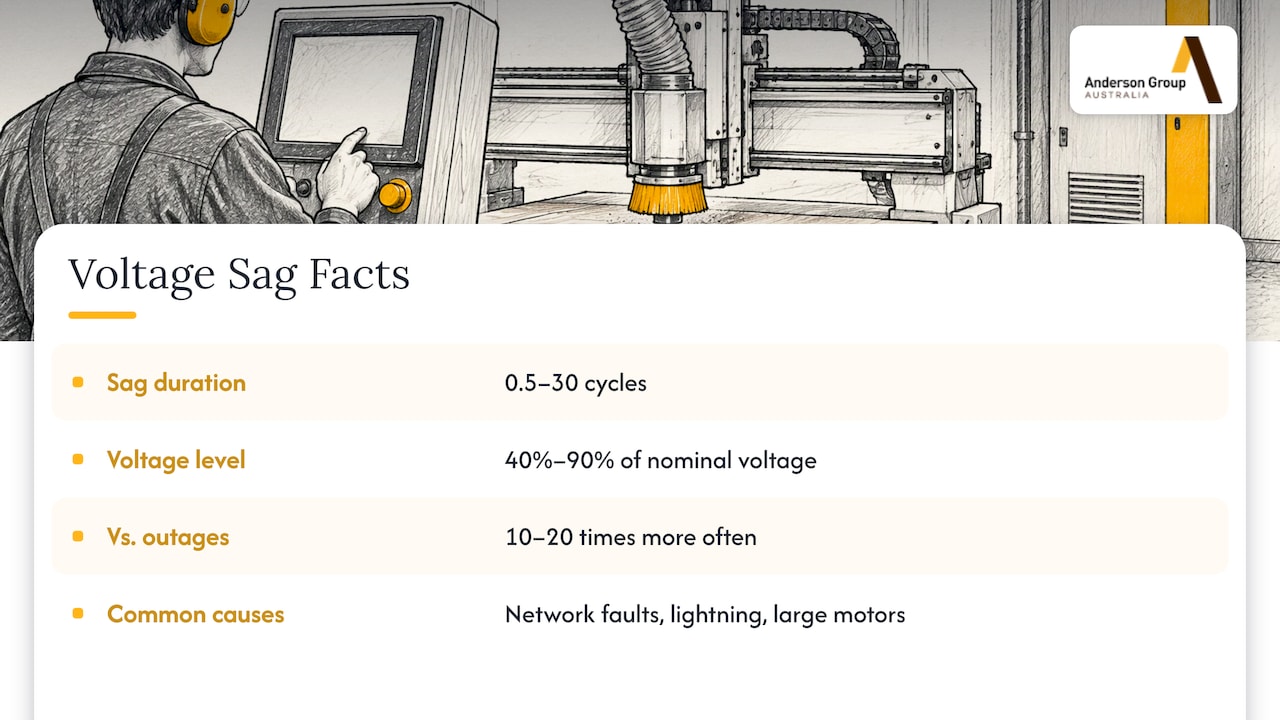
The Electric Power Research Institute (EPRI) defines a voltage sag as a drop in RMS voltage lasting from 0.5 to 30 cycles. It identifies sags as the most prevalent power disturbance for industrial customers. A brief sag can make a contactor open or chatter. A PLC or motor drive may read that as a loss of voltage and stop the process, or the PLC itself may reset.
Eaton’s power conditioning design guide describes a sag as typically 40% to 90% of nominal voltage. It says common causes are network faults, lightning and the starting of large motors. It also says sags occur 10 to 20 times more often than complete outages. A large motor starting elsewhere on your site is a sag source you control.
Effect on the finished part
The damage is not limited to stoppages. The US National Institute of Standards and Technology (NIST) tested a CNC machine tool under voltage sags. Its 2001 publication found that power-quality problems interrupt production and also degrade performance in ways that directly affect the quality of the machined product.
For a panel shop, that can mean an interrupted nesting job with a part half cut, a spoiled sheet, and a restart that has to be re-homed and re-checked. For a metal shop it can mean a lost position mid-cycle.
Spikes and internal noise
Not every problem comes from the grid. An Eaton case study at a precision manufacturer found the utility supply within plus or minus 10% of nominal. Metering at the machine panelboard still recorded 322 transient events in five hours, generated inside the facility. The report notes that manufacturing facilities can generate as much as 80% of voltage transients internally. It recommends surge protection at both the service entry and at the load.
In woodworking plants, vacuum pumps, dust extraction fans, compressors and edgebanding line heaters all switch heavy loads. That is why logging the supply at the machine is more informative than trusting the supply authority’s numbers alone.
Signs your shop may have a supply problem
A stabiliser or conditioner is worth considering when the supply, not the machine, is the weak point. One buyer’s guide lists these triggers:
- Voltage fluctuates often or falls outside the range the machine maker specifies.
- Nearby heavy equipment causes noticeable dips.
- Long cable runs cause voltage drop at the machine.
- The three phases are out of balance.
- The machine has recurring faults that line up with voltage events.
The same guide adds that where supply is stable, phases are balanced and there is no history of power faults, a stabiliser adds little. That is a useful discipline: do not buy protection on a hunch.
A practical symptom checklist for a nesting router or machining centre:
- Undervoltage or drive faults that appear when a compressor, extraction fan or welder starts.
- Controller resets or lost positions with no mechanical cause.
- Contactors dropping out during a cut.
- Faults clustered at certain times of day, such as start-up or peak load periods.
- Equipment in the same building failing early.
If these match, record the events before you spend anything. Maintenance logs make this easier, and our CNC preventive maintenance checklist gives a place to note electrical faults alongside routine checks. If you are chasing lost hours, the guide on how to improve CNC uptime covers how to track stoppages by cause.
Measure first, then specify
The order matters. Buying the unit first and measuring afterwards leaves you guessing.
Step 1: Get the machine’s documented electrical requirements
Every model has its own supply requirements: phases, voltage, tolerance, current and the controller’s needs. Take them from the specification for the exact model and configuration, not from the family name. A router, a six-sided drilling machine and a five-axis machining centre do not share a power profile, and options on the same model can change it. When you enquire about a machine, ask us to confirm the electrical requirements for the model you are considering and the options you intend to order.
Step 2: Log the supply at the machine
Have a licensed electrician or a power-quality service record voltage on all three phases at the point where the machine connects, across a representative working period. Capture start-up, peak production, and the times when other plant starts. This shows sags, swells, imbalance and transients. One Australian joinery case from an AVR supplier, published in 2014, reported an incoming supply that swung by more than 35 V line to neutral. It shows how large the variation can be in a joinery plant. Your own log is the only evidence that matters for your site.
Step 3: Compare the log against the machine’s tolerance
If the supply stays inside the documented range and the faults do not line up with voltage events, look elsewhere: pneumatic, mechanical, software or vacuum problems. If it leaves the range, you have a case for correction.
Step 4: Decide the type
Match the device to the problem:
| Problem found | Device that addresses it |
|---|---|
| Sustained high or low voltage, no noise issue | Voltage stabiliser (AVR) |
| Sustained variation plus noise, or a need to isolate the machine | Power conditioner |
| Short spikes and transients | Surge protection at the entry and at the machine |
| Frequent outages or interruptions | Online UPS |
A conditioner and a servo stabiliser also differ in how they correct. Servo units are smooth and suit motor-heavy loads. Faster electronic designs correct in milliseconds but are built for different load types. Ask the supplier which topology suits a spindle and servo load with high inrush.
Sizing a conditioner or stabiliser for a CNC load
Sizing is where most mistakes are made. Running kVA alone is not enough.
- Add up the connected load. List every machine and ancillary on the protected circuit: spindle, servo drives, vacuum pump, extraction and any heaters. Decide whether you protect one machine or the whole line.
- Allow for inrush. Motors and capacitors draw several times their running current at start-up. One sizing guide says sizing should rest on inrush and duty cycle, the voltage swing of your shop supply, harmonics and the environment, and should include de-rating.
- Check the overload rating. Published Australian conditioner ranges give a feel for what to ask. One Australian catalogue lists single-phase units from 1 to 100 kVA, with an input range of plus or minus 18%, output regulation within a few per cent and overload ratings of 200% for 10 seconds and 500% for 50 milliseconds. A Powerware fact sheet from 2006 lists CNC machinery among protected equipment, with a 30 ms correction time and the same 200% and 500% overload pattern. Treat these as examples of the specifications to compare, not as a recommendation for your machine.
- Compare correction range with your log. The unit’s input range must cover the worst swings you recorded, and it should have a bypass and a clear alarm.
- Check the breaker. The fact sheet above recommends curve-1 breakers rated at least one size above the input current. Your electrician should confirm the protection for your installation.
Installing it safely in Australia
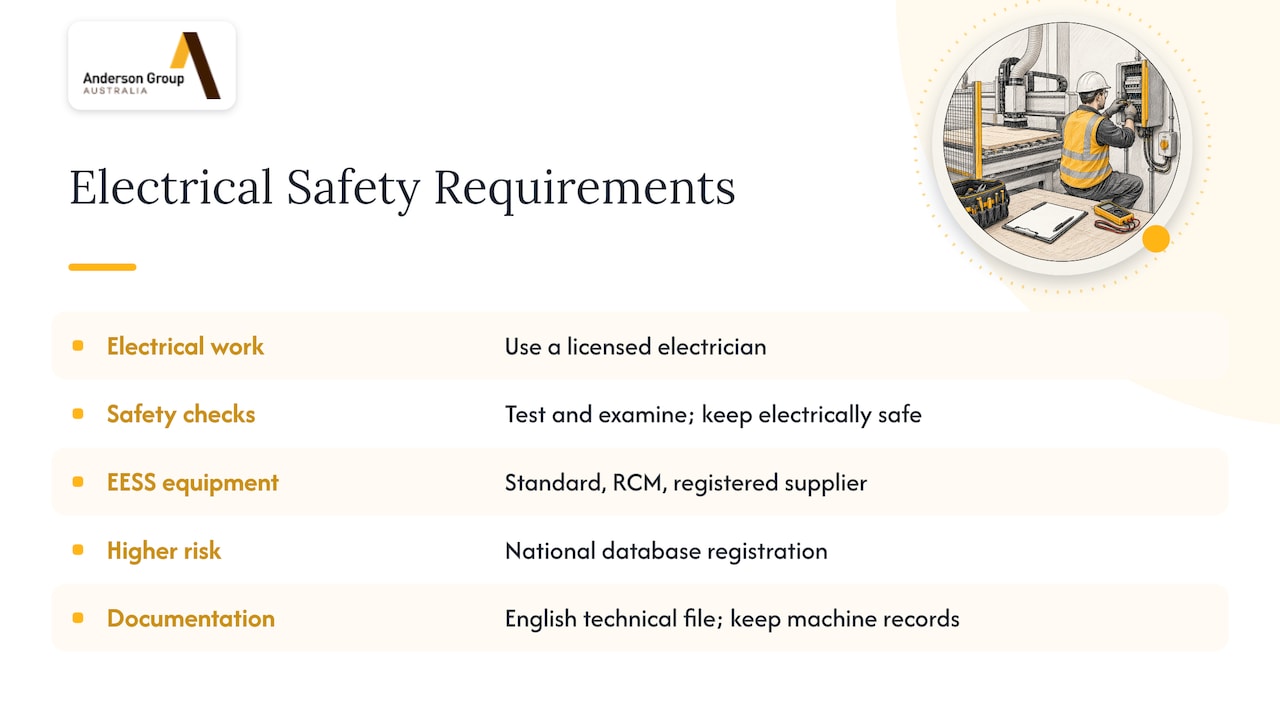
This is electrical work. Use a licensed electrician.
Under the Queensland Code of Practice for managing electrical risks in the workplace, a person who installs electrical equipment must ensure the installation is electrically safe, including testing and examination after installation. The person in control of the equipment must keep it electrically safe. Other states and territories have their own regulators and rules, so check with yours.
The Electrical Equipment Safety System (EESS) also applies to what you buy. Under the EESS, in-scope equipment must meet the relevant standard, carry the Regulatory Compliance Mark (RCM) and be linked to a registered responsible supplier. Higher-risk levels also need national database registration. WorkSafe Queensland says AS/NZS 3820 applies to all electrical equipment regardless of the EESS, and that suppliers should hold an English technical file. Ask any conditioner supplier for the RCM and technical documentation, and keep it with your machine records.
When the unit is in, check that it has improved things. Repeat the logging exercise and compare it with the first. Good practice is also to keep the machine’s safety obligations in view. Our guide to AS/NZS 4024 actions for PCBUs covers machine safety separately from supply quality.
Planning for power before the machine arrives
Supply quality is cheapest to deal with at the planning stage, when the cable run, the switchboard and the position of the machine are still open. Our floor space planning guide covers the layout side. Add the electrical side to the same checklist:
- The distance from the main switchboard to the machine, since long runs cause voltage drop.
- Which other large motors share the same supply, such as compressors, extraction and vacuum pumps.
- Whether the site has three-phase supply of the right capacity for the model.
- Where a conditioner or surge protection would physically go.
NIST and EPRI researchers argue that the least costly way to make equipment robust to power-quality problems is to build mitigation into the equipment itself. That is a good reason to raise supply questions with the machine supplier early, rather than after commissioning.
Machines we supply, and how to take the next step
We supply CNC machinery, servicing and parts to Australian manufacturers. Most of our customers are kitchen, cabinet, joinery and furniture makers, so our wood machinery range is the place to start if you are planning nesting, routing, drilling or panel processing capacity.
For metal and aluminium milling, the metal machinery range covers the Focaseiki machining centres, and the full list of categories is on our machines page. We help you choose machinery for your own production. We do not offer subcontract cutting or machining.
If you are comparing models, tell us about your application and your site’s supply. We will confirm the electrical requirements for the exact model and configuration you are considering, and you can request a quote from the relevant product page. We do not state electrical figures here for any specific model, because they belong to the verified specification, not to a family name.
FAQ
Is a CNC voltage stabiliser the same as a power conditioner?
No. A stabiliser corrects sustained high or low voltage. A power conditioner also provides isolation, noise filtering and surge suppression. If your problem is only a supply that sits too high or too low, a stabiliser may be enough. If noise or transients are involved, a conditioner or added surge protection is the better match.
Will a power conditioner keep my CNC running in a blackout?
No. Conditioners and stabilisers have no battery, so they cannot ride through an outage. If outages or long interruptions are the problem, an online UPS is the device to consider, sized for the load you need to keep running.
Does every CNC router or machining centre need one?
No. If your supply is stable, balanced and inside the machine’s documented range, and you have no voltage-related faults, a stabiliser adds little. Log the supply at the machine first, and compare the result with the specification for your exact model.
Who can install one?
A licensed electrician. Installers are responsible for making the installation electrically safe and for testing it afterwards, and the equipment should carry the RCM and have technical documentation available. Your state or territory electrical regulator sets the detailed rules.
Sources
- Eaton power conditioning products design guide
- Eaton case study CS158004, Permac Industries
- NIST: Embedded Power Quality Solutions for CNC Machine Tools
- EPRI Technology Assessment and Application Guide
- WorkSafe Queensland: Managing electrical risks in the workplace Code of Practice 2021
- WorkSafe Queensland: Equipment safety
- EESS in-scope equipment and risk levels
- Power Conditioners catalogue (Australia)
- Powerware Power Conditioners fact sheet
- Power Conditioning Systems: Blocks, Limits and Specifying
- How Servo Voltage Stabilizers Protect CNC Machines
- How to Choose a Three-Phase Voltage Stabilizer for CNC Machines
- Voltage Stabilizers for CNC, Laser and Machine Tools
- How a Top Joinery Manufacturer Recouped 100% of its AVR Cost