
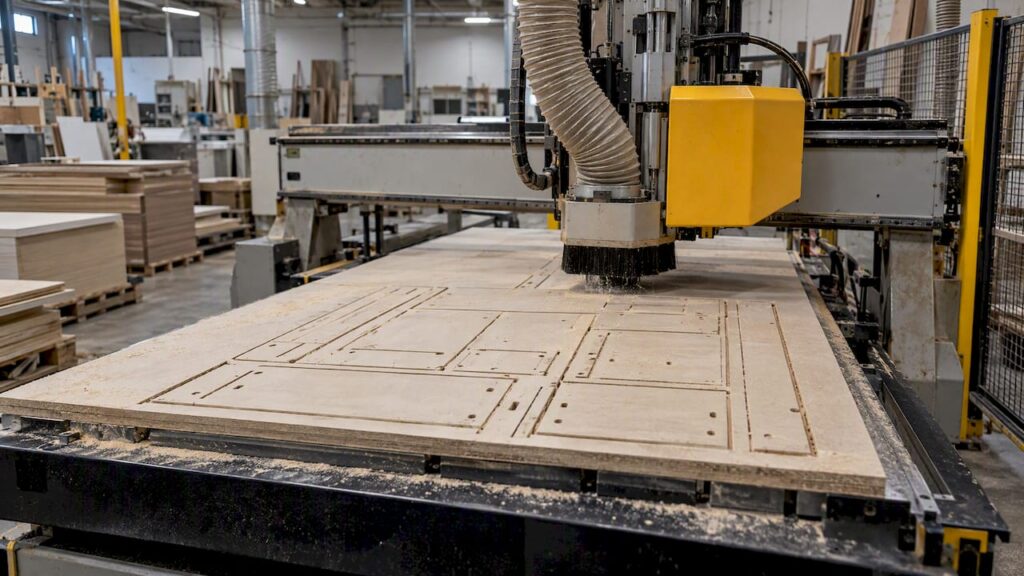
The fastest way to lift nesting output is rarely a faster machine. It is removing the stops around the cutting: re-entering data, hunting for parts, fixing vacuum hold, clearing blocked filters and sorting unlabelled panels. Fix those in order and the spindle spends more of the shift cutting. This guide is for Australian kitchen, cabinet, joinery and furniture manufacturers already nesting, or about to buy a nesting machine, and wanting more finished parts per shift from the same sheets.
TL;DR
- Start with the data path: design to cutting list to toolpath with no manual re-keying. This usually removes more downtime than extra feed speed.
- Treat labelling and part sorting as part of the nesting job, because unlabelled parts push the delay downstream to assembly.
- Keep vacuum hold and dust extraction healthy: clogged filtration can cost you suction and stall or scrap a job.
- Match the machine and its configuration to your actual work. Confirm options such as loading, unloading and labelling against the exact model page, never the family name.
- Measure your own baseline before changing anything. Numbers quoted by vendors are not your numbers.
Table of Contents
- Know where your time actually goes
- Fix the design-to-machine path first
- Nest for the whole job, not just the sheet
- Label parts at the machine, not after
- Keep vacuum hold and dust extraction healthy
- Look after the cutter and the machine
- Use the machine for more than cutting
- Choose a machine that suits your production
- Anderson machinery for wood panel production
- A 30-day plan to lift output
- Documented facts and general guidance
- FAQ
- Sources
Know where your time actually goes
Before you buy software or tooling, record a week of real data. For each sheet, note the time from the operator picking up the job to the last part leaving the table. Split it into: file preparation, loading, cutting, unloading, sorting and labelling, and any unplanned stop with its reason.
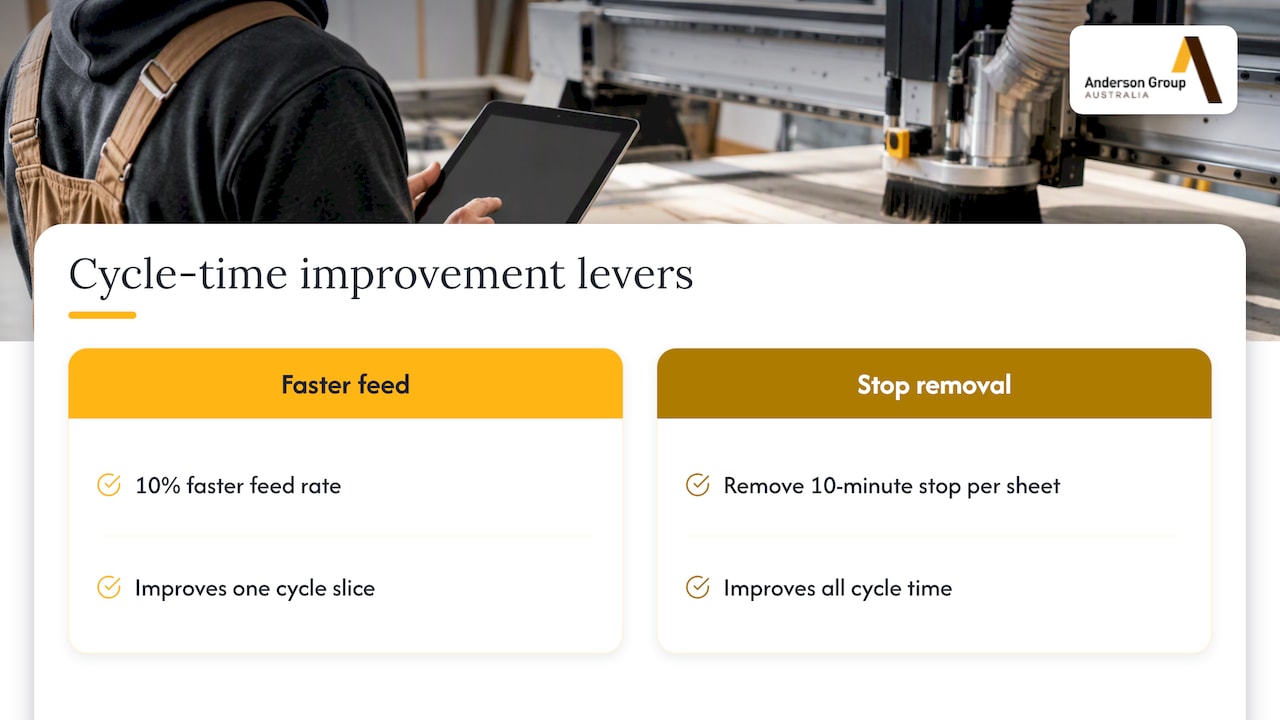
Most shops find the cutting itself is the smaller share of the cycle. That matters because a 10% faster feed rate only improves one slice of the total, while removing a 10-minute stop on every sheet improves all of them.
This is general guidance, not a documented Anderson result. We do not publish shop-floor figures for productivity gains, and you should be wary of anyone who quotes a universal percentage. Your material mix, part sizes, sheet size and operator habits decide the outcome.
The national training unit for optimising CNC operations frames the same idea: the goal is overall production output across CNC sizing machines and machining and processing centres, not the speed of one component. Use it as a checklist of what a competent operator or production lead should be looking at.
Fix the design-to-machine path first
The commonly cited bottleneck in cabinet shops is the translation step between the design office and the machine. When a cutting list is typed by hand, or a toolpath is rebuilt from a drawing, errors and waiting time creep in. Cabinet software vendors describe design carried straight through to production, with cutting lists generated from the design and panel optimisation to reduce offcuts.
One Australian CNC software supplier states that optimisation software can lift throughput on existing woodworking CNC machines by 15% to 30%. That is a vendor claim about its own product, not an independent study and not an Anderson figure. Treat it as a reason to test, not a forecast for your shop.
What to check in your current workflow
- Does any job require a part dimension to be typed in twice?
- Are drilling, grooving and profile operations generated from the same data as the nest, or added by hand?
- Can the operator see tool, material and thickness for the next job before the current one finishes?
- Who fixes a file when the nest fails: the operator at the machine, or the office?
If the answer to the last question is the operator at the machine, you are paying spindle time for programming work. Move it to the office, or to an overnight preparation step.
Our guide to a nesting-first CNC workflow for small cabinet shops covers how to set that sequence up, and nested-based manufacturing for cabinet shops looks at yield and labour together.
Nest for the whole job, not just the sheet
Packing parts tightly is only one half of nesting. Three settings decide whether a good nest turns into a fast job.
Grain and material rules. Nesting that respects grain direction and veneer or melamine patterns avoids parts that cannot be used. Static patterns waste material when part mixes change, so let the software handle rotation rules per material rather than using one template for everything.
Hold-down method. Small parts and thin offcuts are where vacuum hold fails first. Tabs, bridges or a final skim pass are the usual ways to keep parts in place. The right choice depends on material, cutter and your finish expectations, so test on your own board rather than copying another shop’s settings.
Order of operations. Drill and groove first, profile internal cuts before outer edges, and cut small parts before the sheet loses its stiffness. A sensible order cuts rework as much as any speed change. Software setting names differ, so check your own package’s documentation.
Our shop floor playbook on reducing CNC waste goes through design to G-code in more detail.
Label parts at the machine, not after
A nested sheet can produce dozens of parts in minutes. If those parts are sorted by hand, the time you saved at the spindle is lost on the floor. Labelling at the point of cutting, with the job, cabinet and part reference, keeps the flow moving toward edging, drilling and assembly.
Research from RMIT on timber fabrication found that clustering components can reduce the number of distinct labels by about 80% in a specific free-form pavilion design. That project is architectural, not a kitchen production line, so do not expect the same figure. The principle still applies: fewer unique parts and clearer identification mean fewer assembly mistakes.
For practical checks, see our guide on three panel labelling checks that prevent assembly errors.
Some nesting machines can be configured with automatic loading and unloading, or label printing. Whether a particular Anderson model offers these depends on the exact model and configuration, so confirm it on the product page or with our team before you plan around it.
Keep vacuum hold and dust extraction healthy
Nesting relies on the vacuum table to hold a full sheet and then ever smaller parts. Anything that weakens suction shows up as part movement, poor edge quality, or a stopped job.
Dust extraction is the usual hidden cause. A filter that is loaded with fine dust restricts airflow. The Queensland regulator’s guidance on industrial vacuum cleaners and hazardous dust says equipment needs sufficient power and capacity for the dust being generated and the speed it is produced. Wood dust is a health hazard, so extraction is first a compliance matter. Check the class of extractor and filter your state’s regulator expects, and confirm it with your own safety adviser.
Productivity follows from the same discipline:
- Clean or replace filters on a schedule you set from your own run hours.
- Check hoses, blast gates and dust shoes for leaks and blockages at the start of each shift.
- Where dust loads are heavy, a pre-separator ahead of the filter is a common approach. Ask your extraction supplier whether it suits your set-up.
- Keep the spoilboard and table seals in good condition, since worn surfaces leak vacuum.
Dust extraction for wood panels is a different subject from liquid coolant used in metal machining. They should not be mixed up when you specify equipment. For a deeper look at extraction, read our guide to effective CNC dust collection.
Look after the cutter and the machine
Nesting cuts a lot of linear metres of abrasive board. A dull cutter slows the feed you can safely run, burns edges and tears laminate, which creates sanding or re-cuts.
- Log cutter hours or sheets cut, and change on a set interval, not on complaints.
- Keep compression, straight and drill tooling organised so the operator can find the right tool without a search.
- Check collets and tool holders for wear, since runout shows up as poor finish.
- Follow the machine builder’s lubrication and maintenance schedule.
Safety belongs in this routine too. SafeWork NSW publishes a hazard identification table for CNC routers that covers cutter exposure and unexpected start-up. Use it as a starting point for your own risk assessment, and check the requirements in your own state or territory.
Unplanned stops also eat output. Our article on recovering machine hours and improving CNC uptime sets out a 90-day approach. If you need parts or service for an existing Anderson machine, ask us to confirm the agreed scope of service for your machine, as inclusions and response times are set per arrangement.
Use the machine for more than cutting
A nesting machine is most productive when the work it does replaces handling elsewhere. If your cabinets need drilling for hardware, doing that on the same CNC may remove a separate manual step. Our comparison of CNC drilling versus manual drilling for cabinetry explains when this pays off.
Keep the applications distinct when you plan the line:
| Application | Anderson product family | Notes |
|---|---|---|
| Nesting, routing and drilling of panels | ATS | Nesting, routing and drilling machine |
| Edgebanding | AFS | These are edgebanders (edge banding machines) |
| Six-sided drilling and routing | ADM | Separate from nesting |
| Panel return after edgebanding | ARS | A panel-return system for edgebanders |
The table shows what each family is for. It does not say which options a specific model has. Pallet changing, loading, probing or extraction capacity should never be assumed from the family name, so check the exact model.
Choose a machine that suits your production
If you are buying, the productivity question becomes a selection question. Work through these before you request a quote:
- Sheet sizes and thicknesses you cut most, including the largest panel.
- Daily sheet volume and whether you run a single shift or overnight.
- Part mix: many small parts, large cabinet carcasses, or a blend with solid timber.
- Material handling: whether a person loads each sheet or you need automation around the table.
- Downstream steps: edging, drilling and assembly, and whether the nesting output feeds them cleanly.
- Your software: which design and CAM tools the machine must accept.
- Extraction and power available on your site.
With those answers, a sales conversation is more productive. We recommend machinery for your own production, and we check specifications against the actual product page. We supply machinery, service and parts: we do not offer subcontract cutting or finished-part manufacturing.
Anderson machinery for wood panel production
Our wood machinery range is where we lead: nesting and panel-processing machines for kitchen, cabinet, joinery and furniture manufacturers, including Genesis PLUS and the Anderson range. You can also browse our wood CNC and nesting machines overview. Tell us about your application, sheet volumes and current workflow, and we will help you match a machine and configuration to it, or you can request a quote through the site.
Metal and aluminium milling is a separate product range. If that is your work, see our metal machinery page, and keep wood nesting enquiries on the wood range.
A 30-day plan to lift output
Here is a sequence you can run without new equipment.
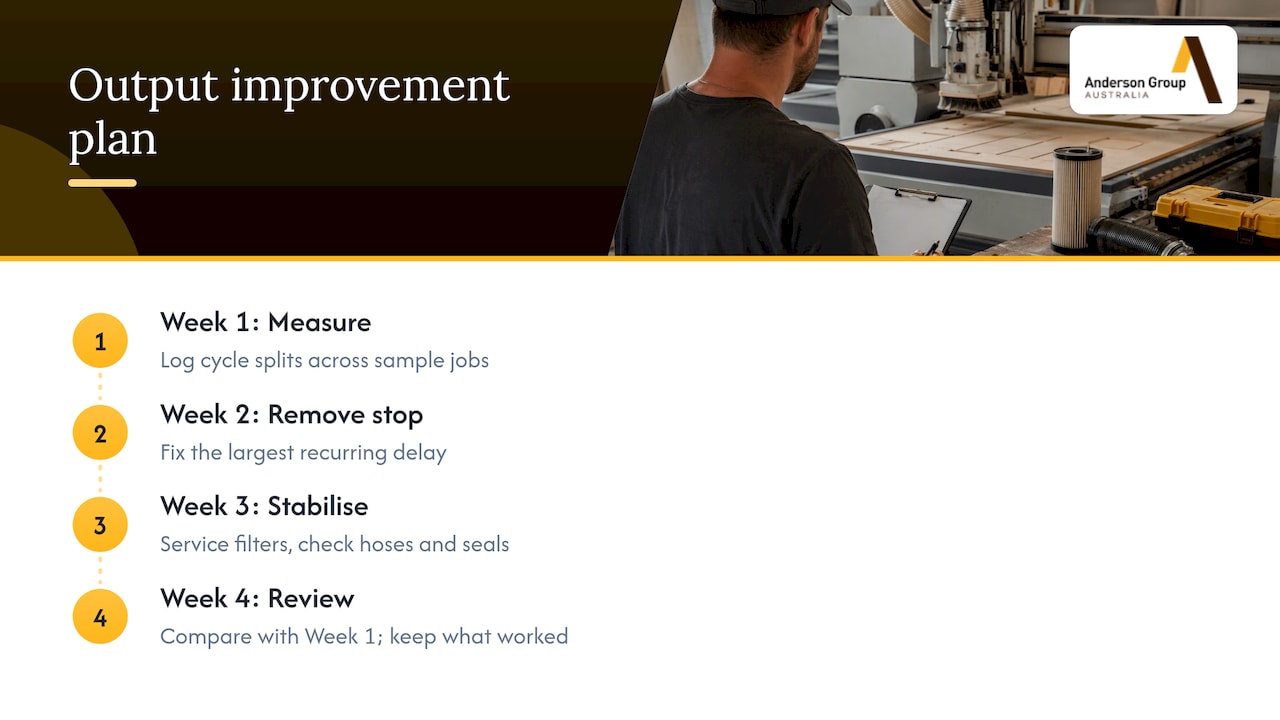
Week 1: measure. Log the cycle splits from the earlier section for a sample of jobs.
Week 2: remove the biggest stop. Pick the largest recurring delay and fix only that. If it is programming, move it to the office. If it is sorting, add labels.
Week 3: stabilise hold and extraction. Service filters, check hoses and seals, and rerun your problem jobs.
Week 4: review. Compare with Week 1. Keep what worked and note what to check at the next review.
If the numbers show you are limited by the machine itself, such as table size, no automation, or a bottleneck at drilling, then it is time to talk about equipment.
Documented facts and general guidance
To keep this useful, here is how the article separates the two.
- Documented from outside sources: the vendor claim of a 15% to 30% throughput lift, the RMIT label-reduction finding in its pavilion project, the regulator guidance on extractor capacity, and the national training unit on CNC optimisation.
- Documented about Anderson: the product families and what each is for, as set out above, and that we sell machinery, service and parts.
- General guidance: workflow order, tooling intervals and the 30-day plan. These are practices to test in your shop, not guaranteed outcomes.
FAQ
What is the biggest single lever for nesting productivity?
For most shops it is removing manual steps between design and machine, then dealing with sorting and labelling. Both cut stops that sit around the cutting time. Measure your own cycle first, because your biggest delay may differ.
Does a faster feed rate increase nesting output?
Only where the cut is the bottleneck, and only within what your cutter, material and vacuum hold allow. Faster feed on a poor-hold or dull-tool job tends to create scrap. Check what the stops are before changing feed.
Can dust extraction affect nesting productivity?
Yes. Restricted airflow from loaded filters can weaken suction, which can cause part movement or stopped jobs. Extraction is also a health and compliance matter, so confirm requirements with your state regulator.
Do all Anderson nesting machines have automatic loading or labelling?
Not necessarily. Options depend on the exact model and configuration, and we do not infer them from a family name. Ask us to confirm what is available for the machine you are considering.
Can Anderson cut my parts for me?
No. We supply CNC machinery, servicing and parts for your own production, and we do not offer subcontract cutting or machining.
Sources
- Advanced CNC Software, Cabinet and Joinery Automation (QuickCAM)
- Cabinet Making Software for the Shop Floor (OptiCAD)
- Optimised Pavilion, RMIT University
- National Training Register: FWPTMM5205 Optimise CNC operations
- Industrial vacuum cleaners and hazardous dust (WorkSafe Queensland)
- Routers, CNC routers and spindle moulders: hazard identification (SafeWork NSW)