
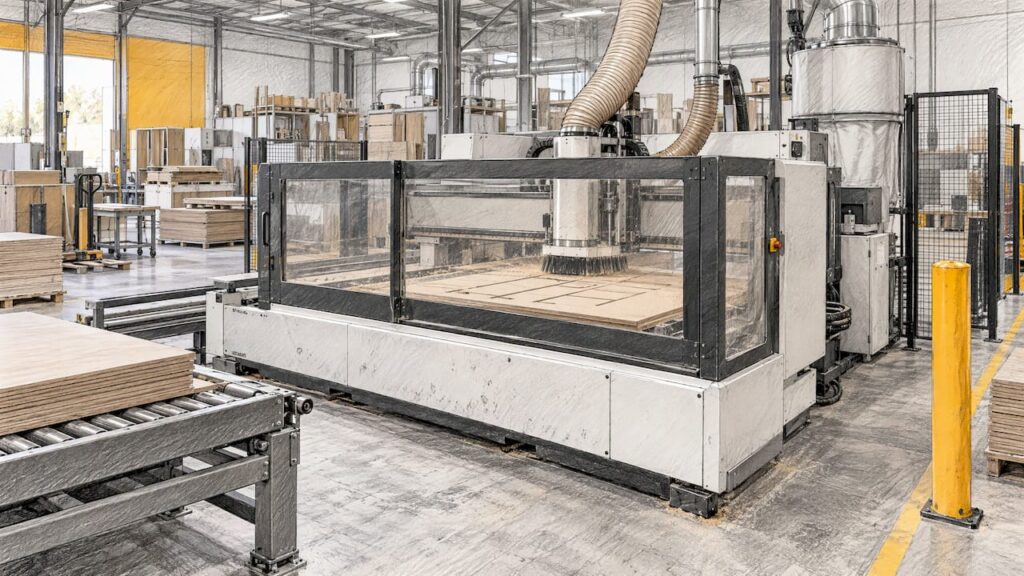
AI for CNC machining mostly means software that sits around the machine, not a machine that thinks for itself. It recognises features on a part, proposes toolpaths and feeds, lays out sheets, flags problems and watches machine data. The cutting is still done by a conventional CNC with a controller, a spindle and a programmer who approves the job. For a kitchen, cabinet, joinery or furniture shop, the practical question is which of these tools pays off on your parts, and what your machine and file workflow need to support them.
TL;DR
- AI in CNC work today is mainly in CAM programming, nesting layouts, quoting, parameter suggestions and condition monitoring.
- It is different from rule-based automation: it learns from previous programs and data, where conventional automation follows rules a person wrote.
- Every AI-generated program still needs human review and simulation before it reaches the machine.
- For panel shops, the biggest gains usually come from clean data, solid nesting practice and reliable machines, so start with one cell or part family.
- We help you match nesting, routing and panel-processing machinery to your own production. Specifications are confirmed on the product page for the exact model.
Table of Contents
- What AI for CNC machining actually means
- Where AI is used in the CNC workflow
- How applications differ by material and machine type
- What you need in place before AI helps
- Risks and how to manage them
- Is it worth it for an Australian manufacturer?
- Choosing machinery that is ready for a data-driven workflow
- Talk to us about your production
- FAQ
- Sources
What AI for CNC machining actually means
South Australia’s Department of State Development describes industrial AI as using AI to improve efficiency or create value for industry. In a machine shop, that translates into a handful of specific jobs rather than one product.
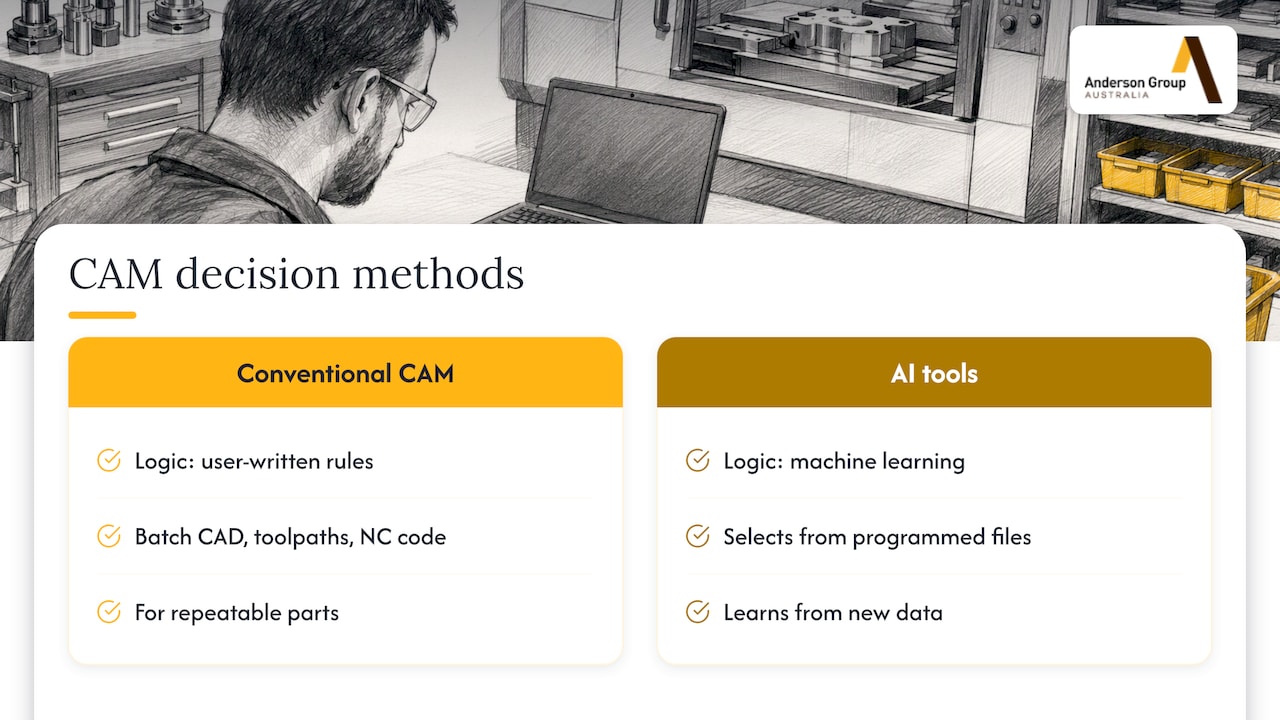
The clearest way to see the difference from ordinary automation is to compare how decisions get made. Conventional CAM automation applies rules you write. It can batch-process CAD files, apply toolpaths and generate NC code, reports, labels and barcodes automatically. That is powerful for repeatable parts, and a lot of cabinet production already works this way.
AI-based tools change where the logic comes from. Hexagon describes its ProPlanAI as using machine learning to select processes from previously programmed files and keep learning from new data, whereas its conventional knowledge and strategy tools rely on rules written by the user. The software learns from what your shop has already made, instead of waiting for someone to encode every preference.
Neither approach replaces the machine. A nesting router, a drilling and routing centre or a 5-axis machining centre is still the thing that holds tolerance, moves the axes and clears chips. AI affects what you feed it and how you watch it.
Where AI is used in the CNC workflow
It helps to separate the stages, because each has a different payoff and a different risk.
CAM programming and toolpaths
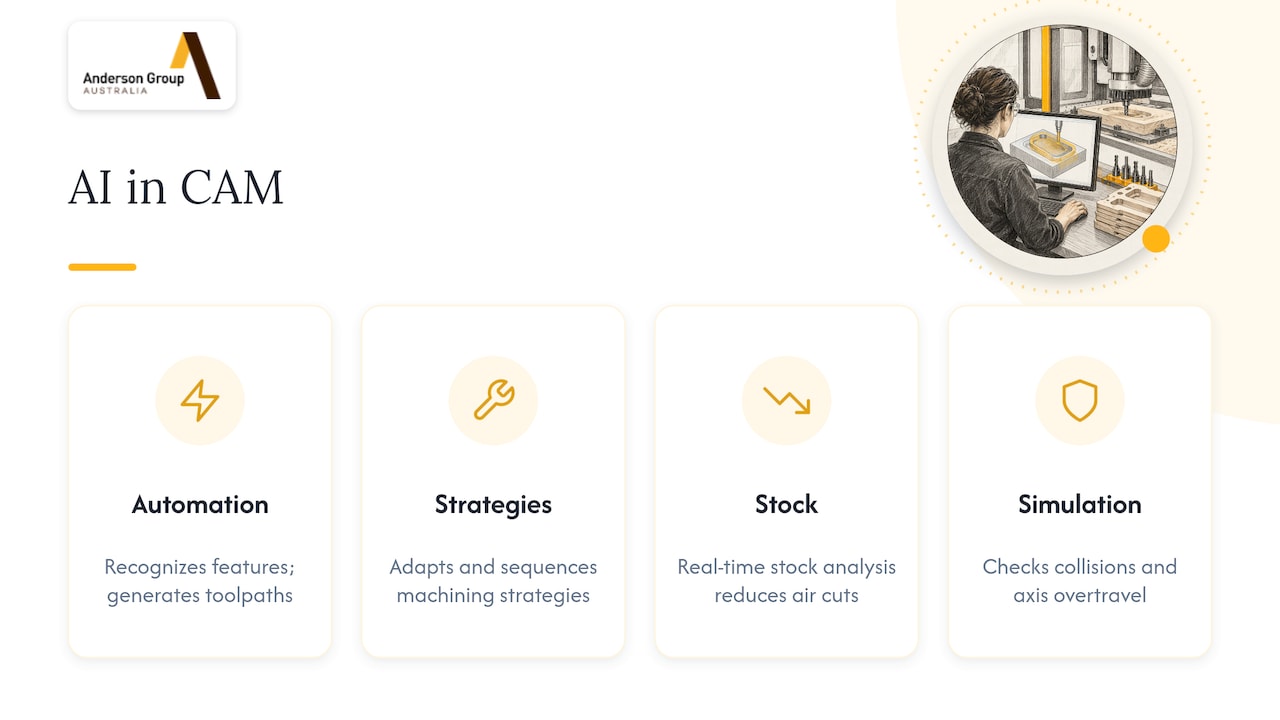
This is where most AI development is focused. Siemens says AI-powered CAM tools automate feature recognition and toolpath generation, cutting repetitive programming from hours to minutes. It also points to the value of capturing and reusing a shop’s accumulated know-how, so a high-mix environment gets consistent results regardless of who programs the job. That is a vendor’s view of its own software, so treat the time savings as a claim to test against your own parts, not a promise.
AMTIL, the Australian Manufacturing Technology Institute, describes how AI-assisted CAM can adapt and sequence machining strategies, create automatic links within machine limits, analyse real-time stock to reduce air cuts, and simulate machining to check for collisions and axis overtravel.
Nesting and sheet layout
Nesting has always been algorithmic: parts are placed on a sheet to maximise yield. AI is starting to help upstream. ENCY has said its 3.0 release will combine AI-based contour recognition with conventional placement algorithms to prepare sheet layouts faster and use material more efficiently. Note the combination: recognition is the AI part, placement stays conventional.
If you cut sheet goods, the gains available from disciplined nesting practice come first. Our guides on increasing CNC nesting productivity and reducing CNC waste from design to G-code cover the groundwork that any AI layout tool depends on.
Feeds, speeds and process optimisation
Academic work shows what is possible in controlled conditions. A 2023 study of trochoidal milling found an ANN-based feed-rate scheduling method achieved a 50% reduction in machining time without increasing peak cutting force. That is one case study on one milling strategy, so it tells you the approach works in principle, not what your shop will see on cabinet panels or on a different material.
Machine monitoring and maintenance
AMTIL also notes that some machine tools use monitors for predictive maintenance and collision avoidance, and that AI meters and sensors can evaluate energy use and power down non-essential systems. Monitoring is often the lowest-risk entry point because it reads data and does not write programs. See our notes on CNC machine monitoring for Australian workshops and tool life monitoring from controller data.
How applications differ by material and machine type
AI tooling is not equally relevant everywhere, and the machine types we supply are distinct. Keep them separate when you plan.
| Application | Typical machine type | Where AI-style software tends to help | What stays the same |
|---|---|---|---|
| Cabinet and panel nesting | Nesting router | Layout preparation, part recognition, quoting from files | Dust extraction, vacuum hold-down, operator loading |
| Joinery and furniture routing | Routing and machining centres | Toolpath suggestion, simulation | Tool library, workholding set-up |
| Edgebanding | Edgebanders (AFS series) | Mostly scheduling and data from the line | Glue, trimming and finishing set-up |
| Drilling and routing of panels | ATS and ADM series | Program preparation from CAD data | Fixture and panel handling |
| Metal and aluminium milling | Vertical, double column and 5-axis machining centres (Focaseiki) | Feature recognition, feeds and speeds, tool monitoring | Coolant, fixturing, probing choices set per machine |
The table describes software use in general. It is guidance, not a statement that a particular Anderson or Focaseiki model includes an AI function. Machine capabilities such as pallet changing, probing, rotary accessories, extraction capacity or coolant options depend on the exact model and configuration, so we confirm them on the relevant product page and in your quote rather than assuming them from a family name or axis count.
Woodworking, cabinetry and furniture
For most panel shops, the high-value work is repeatable: kitchens, vanities, wardrobes, commercial joinery. Job variety comes from dimensions and layout, not from complex geometry. That suits data-driven tools: file import, automatic part recognition, layout and label output. Conventional CAM automation already handles much of this, and AI adds recognition and suggestion on top.
If you are choosing machinery for this kind of work, start from the application. Our wood machinery range covers nesting and panel-processing machines, and the right model depends on sheet size, volume, loading approach and downstream operations. The article on fully automated CNC nesting production lines shows how loading, cutting and unloading link together.
Plastics and composites
These materials are a secondary part of what we supply. The same software logic applies to programming and nesting, but tooling, extraction and fixturing differ from timber panels. Discuss the specific material with us so the machine is matched to it.
Metal and aluminium
Metal milling is a separate product range, served by Focaseiki machining centres. Here AI-assisted CAM and monitoring tend to matter for feature-heavy parts and tool life. If your work is metal, look at our metal machinery range and talk to us about exact-model compatibility, including any coolant requirement, before you assume an option exists.
What you need in place before AI helps
AI tools are only as good as the foundation under them. The practical requirements are less glamorous than the marketing.
- Compatible CAM and machine. AMTIL’s advice is to choose CAM software that is compatible with your machine tools and to use simulation, analysis and verification to check collisions, axes overtravel and acceleration exceptions before cutting. A post-processor that suits your controller matters more than any AI feature.
- Clean, consistent data. Machine learning depends on good inputs. Consistent part naming, material codes, tool libraries and file structure are the unglamorous prerequisites. Poor labels and poor measurements produce poor suggestions.
- A baseline. Before changing anything, record how long jobs take now, how much material you waste and how often the machine stops. Without that, you cannot tell whether a tool helped. Our 90-day uptime guide shows a way to start measuring.
- Integration. If a tool needs machine data, the controller must expose it. Our OPC UA and MTConnect pilot guide explains how a shop can connect machine data in stages.
- People who can judge the output. Someone has to understand a suggested toolpath well enough to reject it.
Risks and how to manage them
The honest limitations of AI in a machine shop are mostly about trust and verification.
- Programs need review. AI-generated G-code may not know your tool library, workholding or machine limits. Run it through the simulation in your CAM system and have a qualified operator check it before it runs, as AMTIL’s guidance on simulation and verification supports.
- Data quality. A model trained on poor or inconsistent records will repeat the inconsistency.
- Drift. Conditions change: new material suppliers, worn tooling, different sheet batches. Suggestions that worked last quarter may need re-checking.
- Customer files and IP. If a cloud tool processes your drawings, check where the files go and who can access them.
- A fallback. Keep your established programs and a manual process available if a tool is down or gives odd results.
For wood panel work, remember that dust extraction and liquid coolant are separate topics. Extraction on a nesting router is about collecting chips and fine dust. Coolant belongs to metal machining and depends on the exact machine. Do not assume one from the other.
Is it worth it for an Australian manufacturer?
Government policy gives context but not a buying answer. The Department of Industry, Science and Resources lists AI technologies, including machine learning and neural networks, as critical technologies in the national interest. A parliamentary submission on the National Reconstruction Fund also identifies AI as an investment priority and notes a strategic risk that Australian businesses end up consuming technology developed overseas. For a shop owner, that means most AI tools will be imported software, so check support, licensing and post-processor availability locally.
A sensible way to assess fit:
- Name the bottleneck. Is it programming time, material yield, quoting speed, unplanned stoppages or operator handling? Pick one.
- Pick one cell or part family. Trial the tool on a limited set of repeatable jobs, not the whole workflow.
- Check the machine side. Confirm the controller, file formats and options on the machine you run or plan to buy.
- Define the measure. Programming hours per job, sheet yield, spindle utilisation or tool life. Decide before you start.
- Review after a set period. Keep it, change it or drop it based on your own numbers.
Often the machine is the limit, not the software. A reliable nesting router with the right bed size, loading and extraction will give a cabinet shop more than a clever layout tool running on an under-specified machine. If you are laying out a cell with loading automation, the guide on CNC cell layout with robot tending is a useful companion.
Choosing machinery that is ready for a data-driven workflow
When you compare machines with software in mind, ask questions that can be answered from documents:
- Which controller does this exact model use, and what file formats and post-processors does it accept?
- Which options (loading, unloading, labelling, pallet changing, probing) are fitted to this configuration and which are optional?
- What dust extraction connection and capacity does the model document?
- What does the service agreement cover, and who supplies parts locally?
We answer these from the product page and the agreed quote. Service inclusions, response times and maintenance intervals are confirmed in writing for your site, so please check the scope with us at the time of purchase.
Talk to us about your production
Anderson Group Australia supplies CNC machinery, servicing and parts to manufacturers, with most of our customers in kitchen, cabinet, joinery and furniture manufacturing. We help you choose machinery for your own production. We do not offer subcontract cutting or machining.
If you are planning a nesting or panel-processing upgrade and want it to work with modern CAM and data tools, start with our wood machinery range, then tell us your sheet sizes, volumes and workflow so we can recommend suitable models and confirm specifications for you.
For metal and aluminium applications, see the metal machinery range, or contact us through our site to discuss your application or request a quote.
FAQ
Does Anderson machinery include AI features?
We do not claim AI functions for any model unless its product page documents them. Most AI benefits come from CAM, nesting and monitoring software that works with the machine. Ask us to confirm the controller and software compatibility for the exact model you are considering.
Will AI replace CNC programmers?
Not on current evidence. AI tools speed up feature recognition and toolpath drafting, but programs still need review and simulation by someone who knows the tooling, workholding and machine. In practice, the programmer’s work shifts toward checking and refining.
Can AI help with nesting for cabinet and joinery work?
It can help with part recognition and layout preparation, and some vendors are combining AI contour recognition with conventional placement algorithms. Yield still depends on sheet size, part mix and good nesting practice, so measure results on your own jobs.
What should I try first?
Start with one cell or part family and one measure, such as programming time or sheet yield. Monitoring tools that only read machine data are a low-risk first step, since they do not change programs.
Is AI-generated G-code safe to run?
Not without checking. Simulate it in your CAM system for collisions and axis overtravel, and have an experienced operator approve it before the first cut.
Sources
- South Australia’s AI capabilities, Department of State Development
- ProPlanAI, Hexagon
- ALPHACAM Automation Manager
- How AI-powered CAM software is transforming CNC machining, Siemens
- Taking CNC programming to the next level with Artificial Intelligence, AMTIL
- ENCY 3.0 Takes Shape, ENCY CAD/CAM
- Investigation of conventional and ANN-based feed rate scheduling, Springer
- List of Critical Technologies in the National Interest, Department of Industry, Science and Resources
- Parliamentary submission on the National Reconstruction Fund, aph.gov.au